
Step-by-step instructions for understanding and paying band fees, specifically through the DVUSD online payment system.
| Payment | Amount | Due Date | Paid Through | |
|---|---|---|---|---|
| 🤝 | Booster Pass-Through Paid to Creek Crew / Band Boosters | $100 | July 10 | |
| ⛰️ | Camp Fee * Part of $800 Fair Share total | $300 | July 15 | |
| 2 | Fair Share Payment #2 August installment | $200 | Aug. 21 | |
| 3 | Fair Share Payment #3 September installment | $300 | Sept. 18 | |
| 🚌 | Transportation Fee Required by DVUSD | $100 | Before End of School Year |
* Camp Fee is part of the $800 Fair Share total. Paying upfront? See the step-by-step guide below.
Learn how to navigate the Boulder Creek High School online payment portal to pay your band expenses. This guide walks you through selecting specific items and completing your transaction securely.
1. Navigate to https://bchs.dvusd.org/
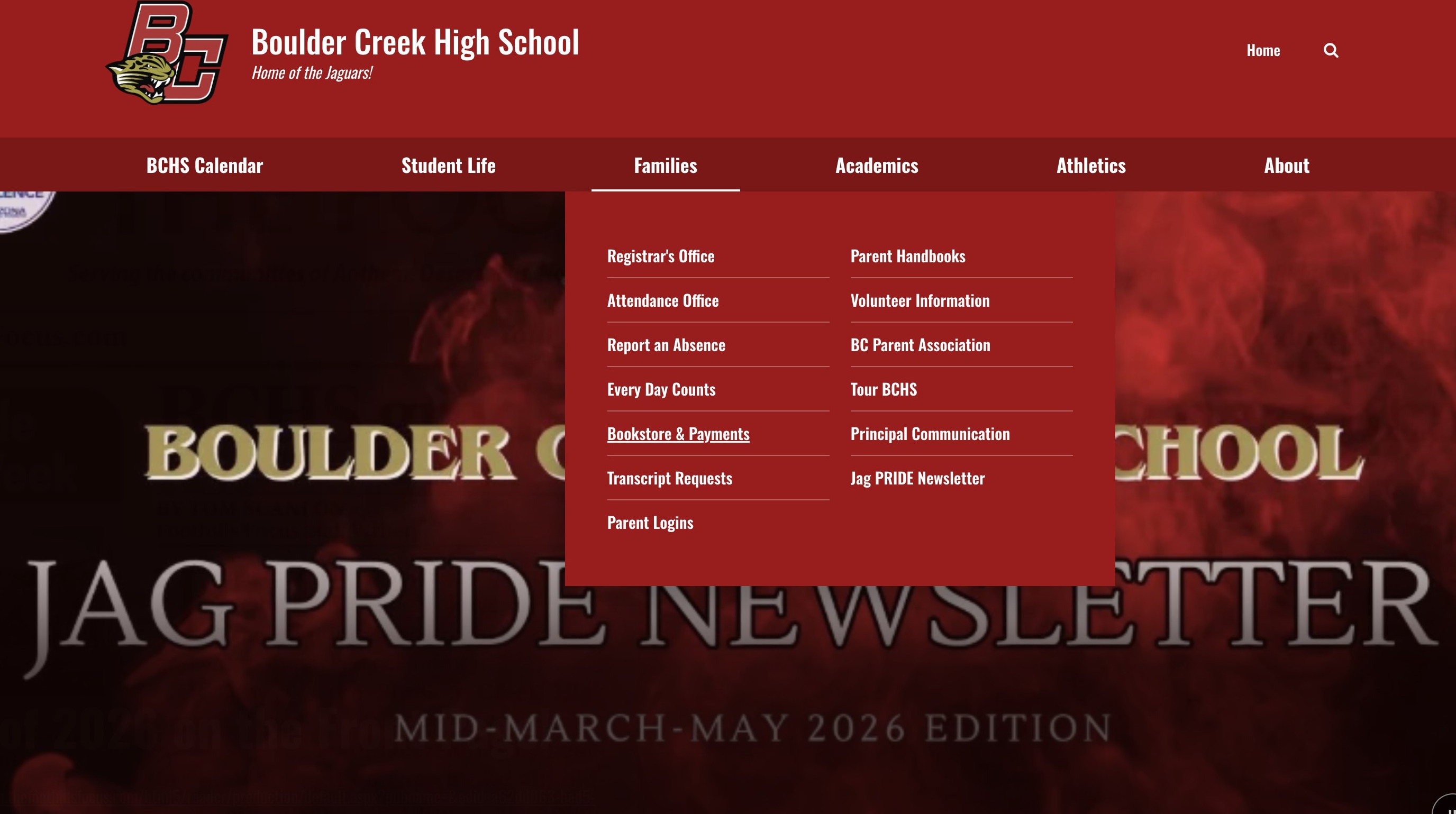
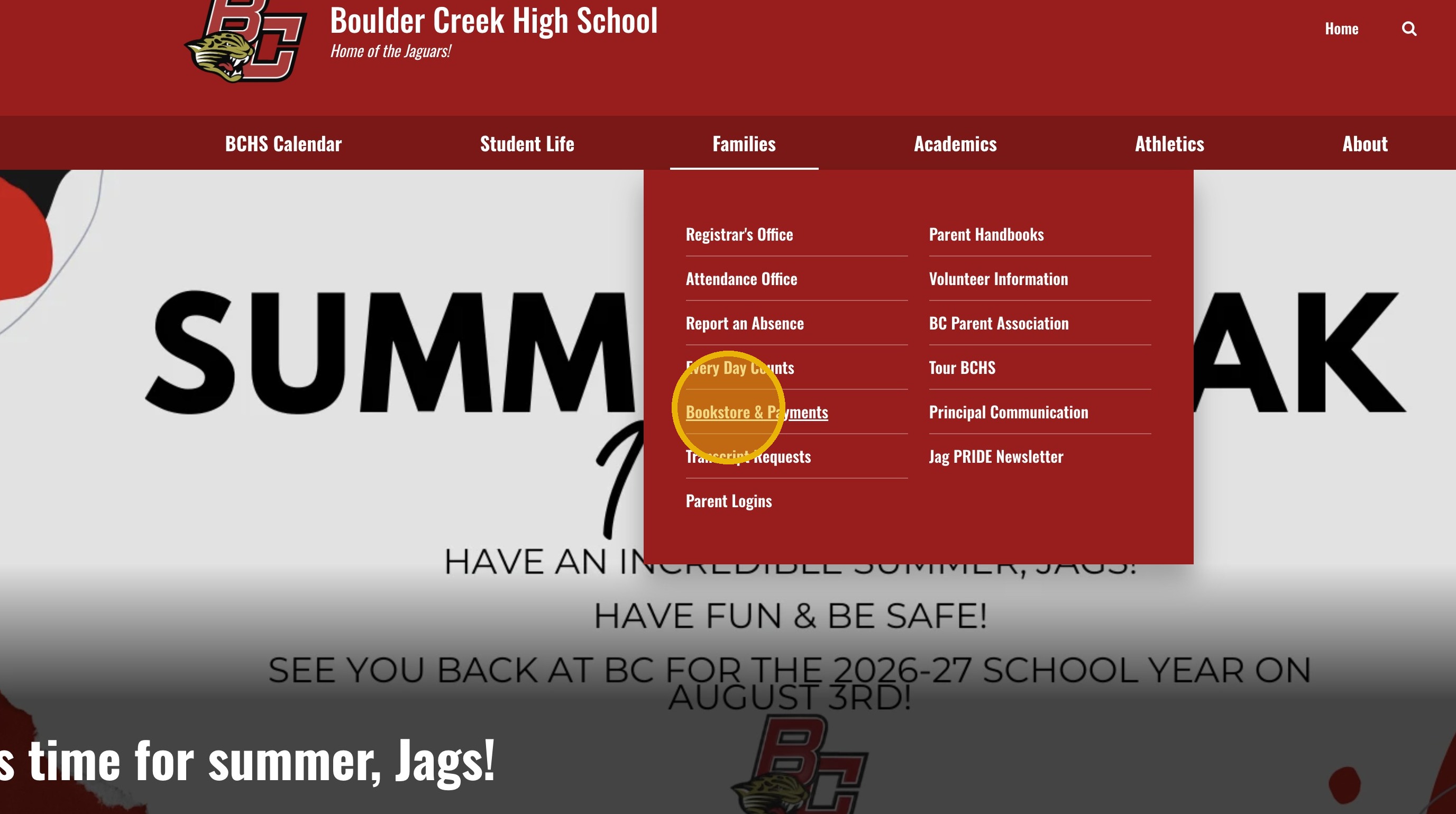
2. Click "Bookstore & Payments"
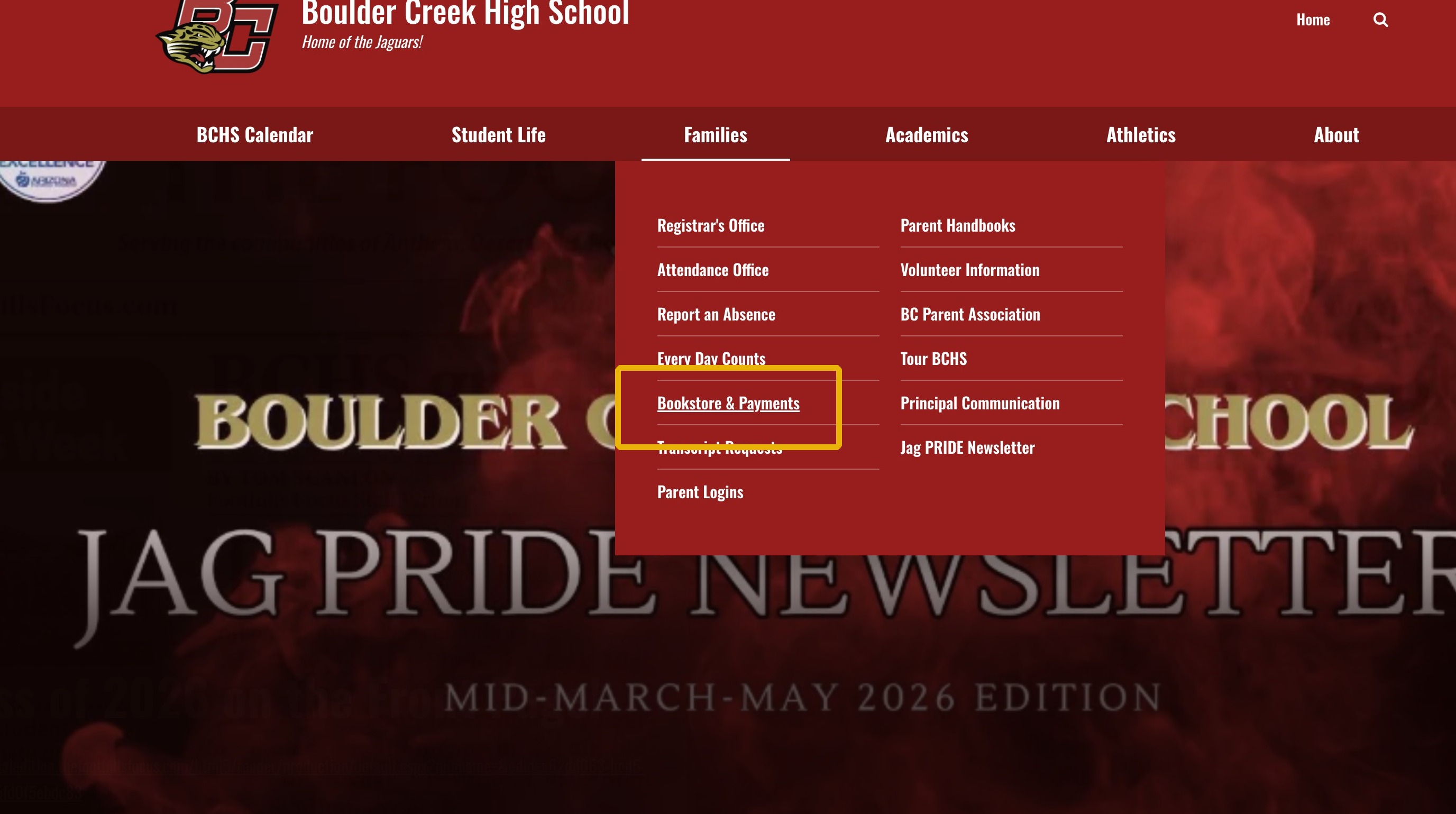
3. Click "DVUSD ONLINE PAYMENTS"
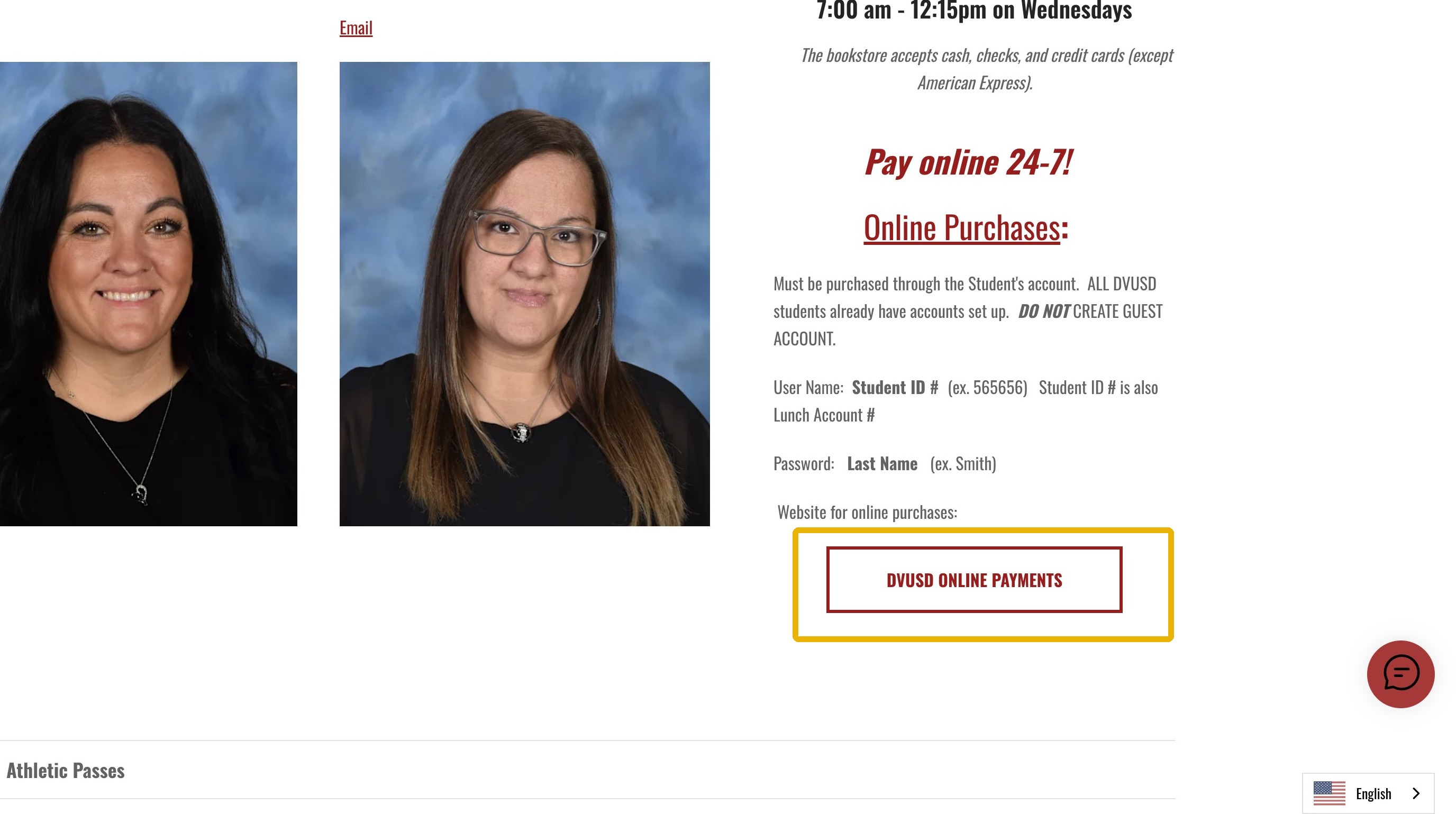
4. User Name = Your Student's Lunch (ID) Number
5. Password = Last Name as in Powerschool & is case-sensitive
6. Click "Sign In"
7. Click "Student Name" in the Banner
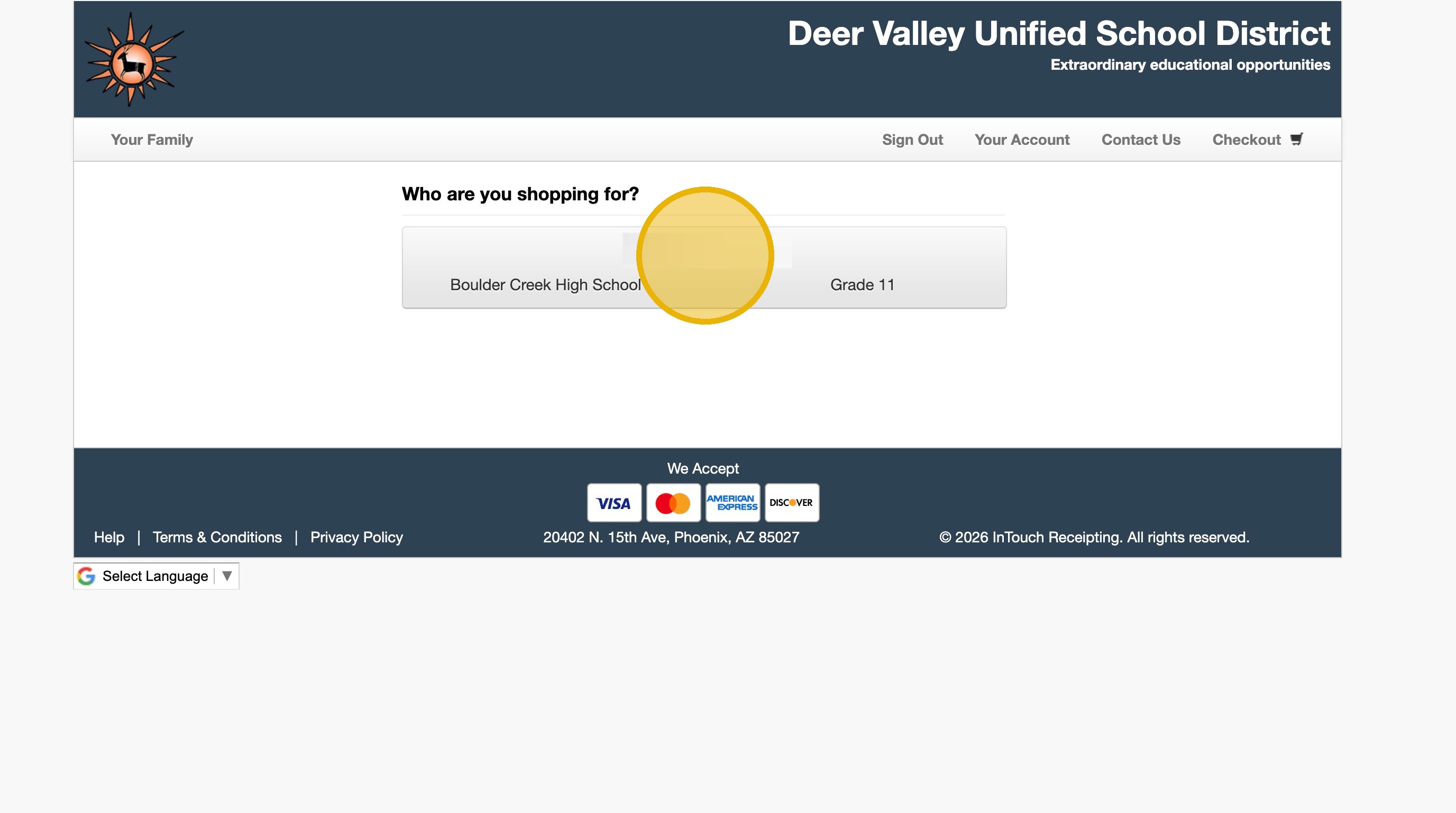
8. Click "Items at Your School"
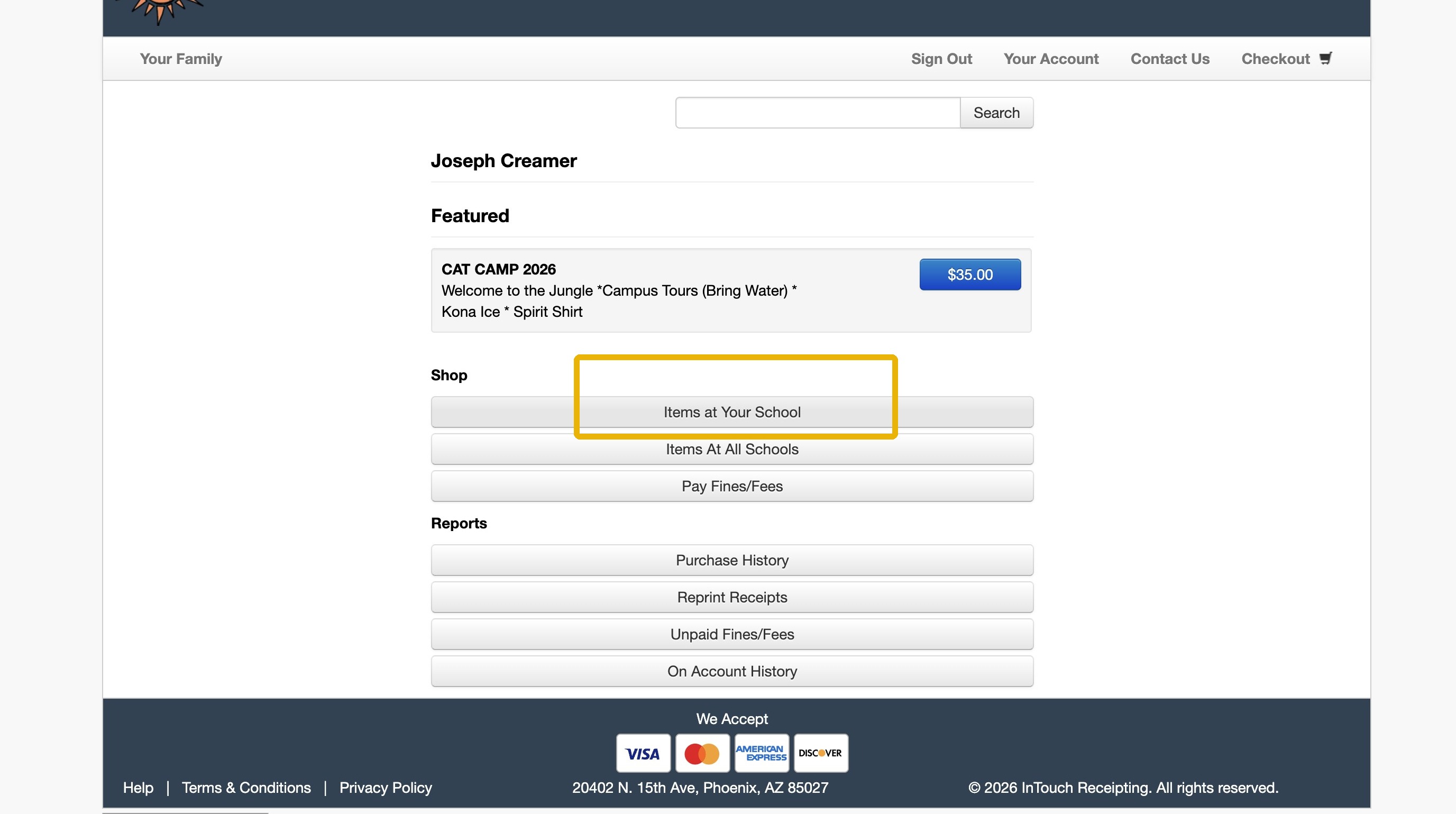
9. Click "Performing Arts"
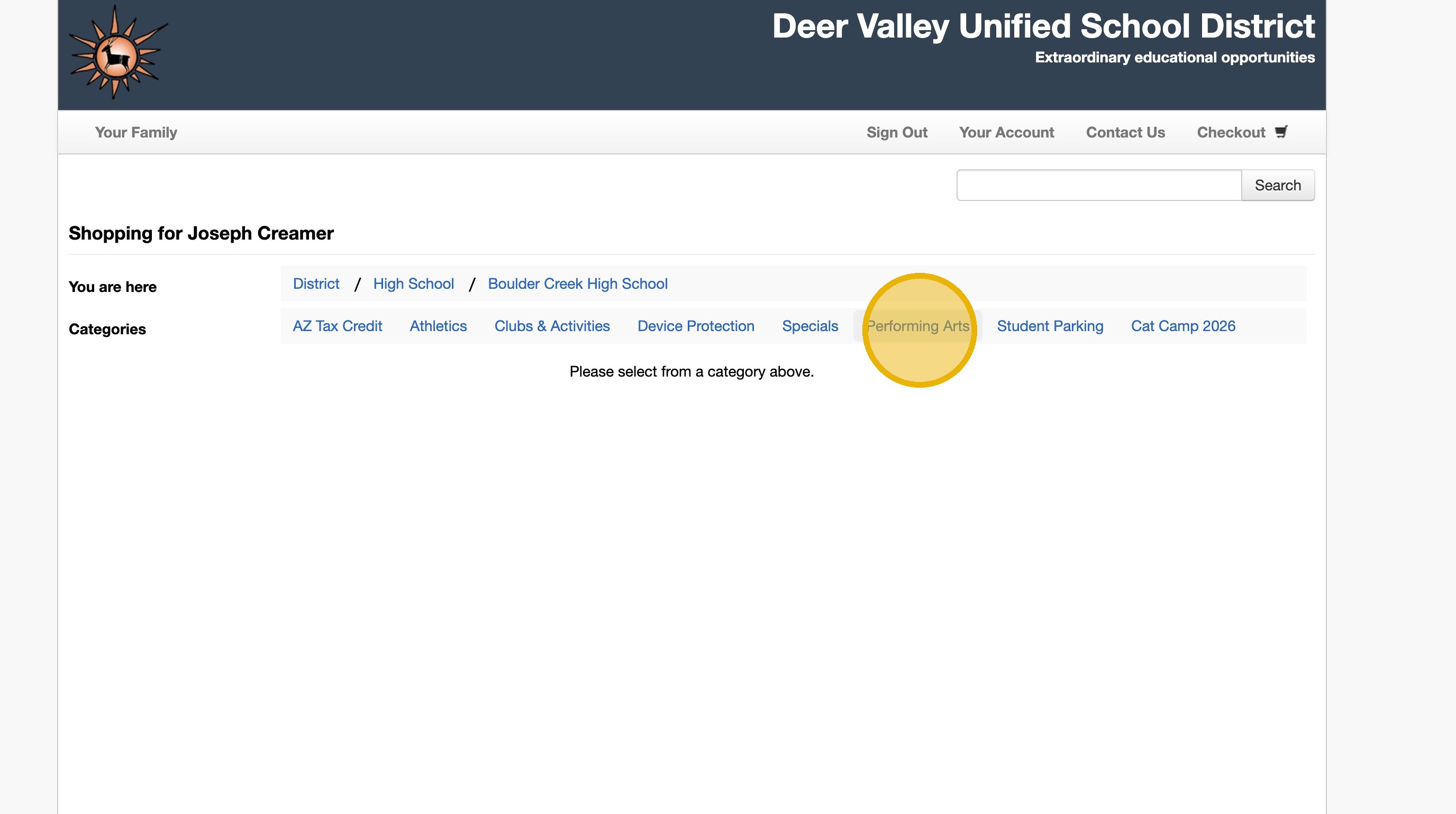
10. Click "Band"
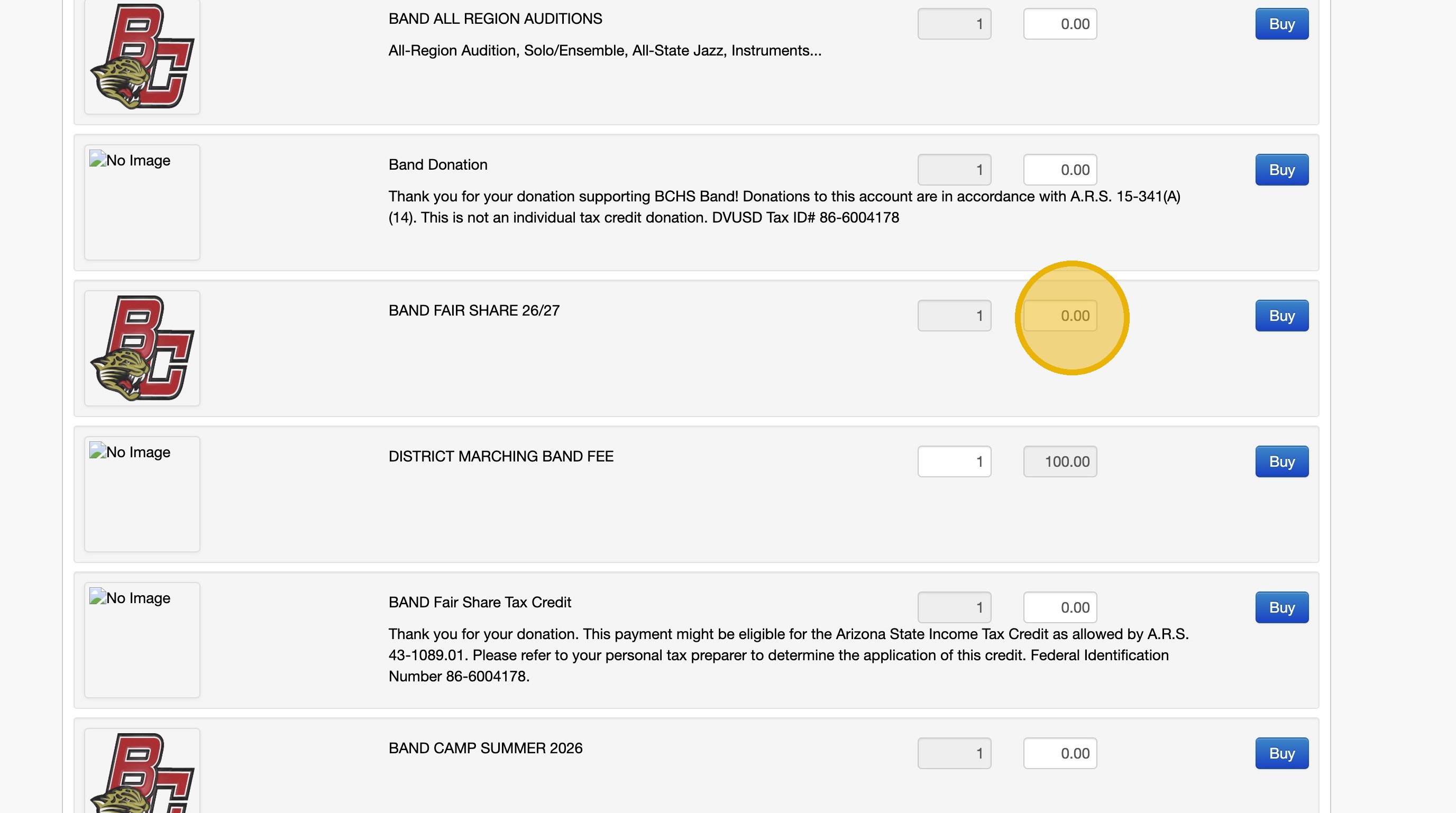
11. Click in the 0.00 field
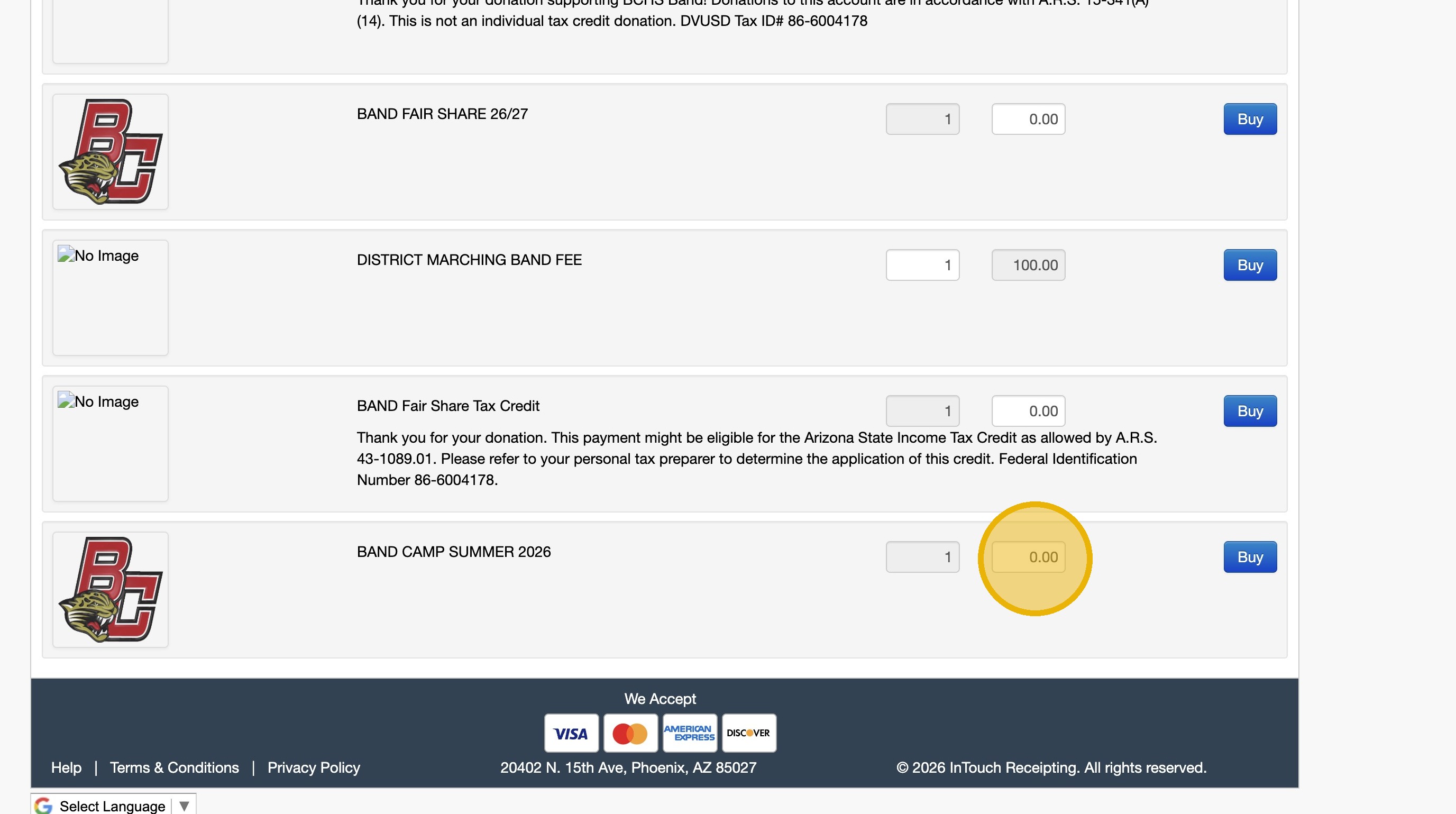
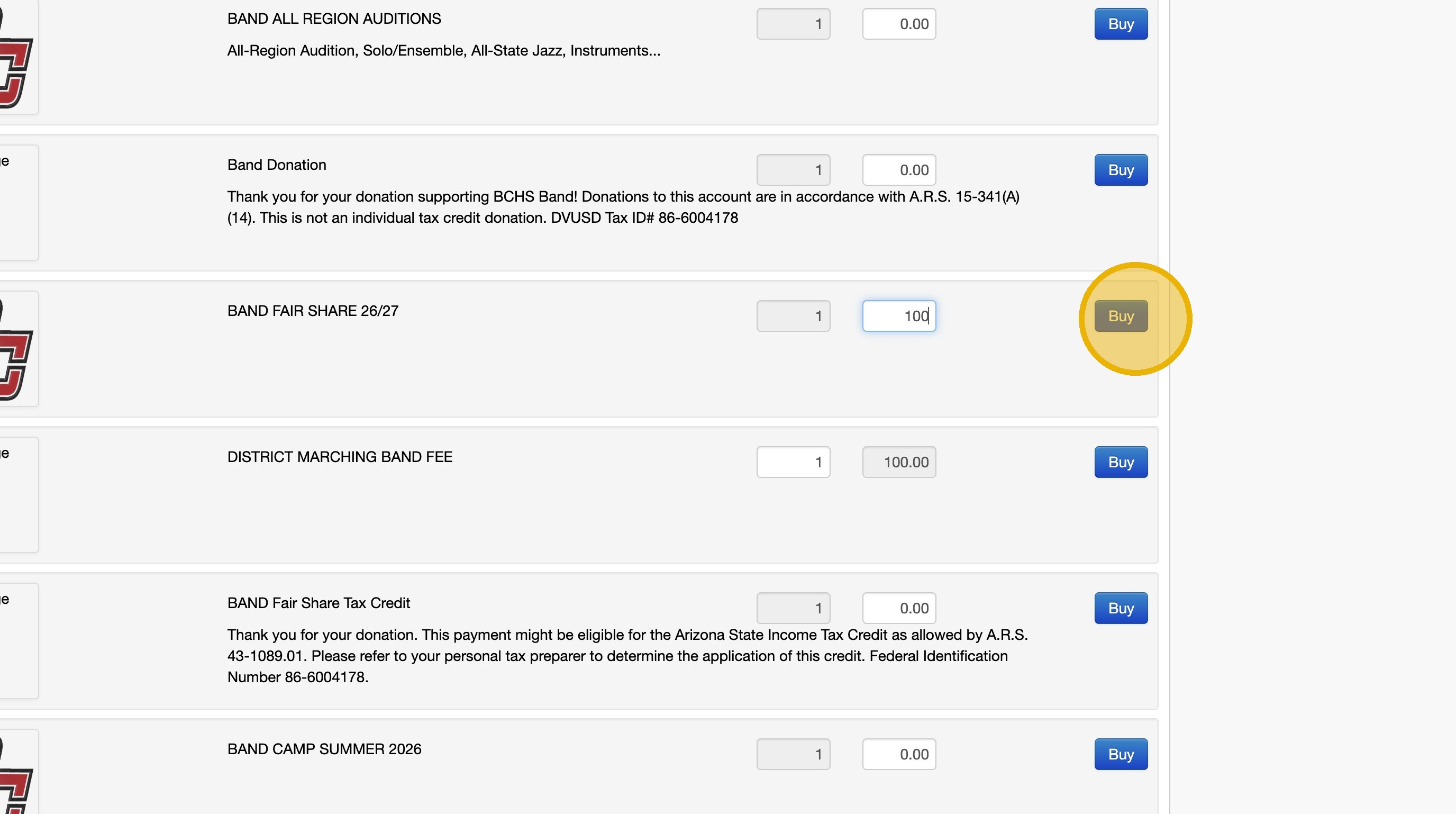
12. Type "300"
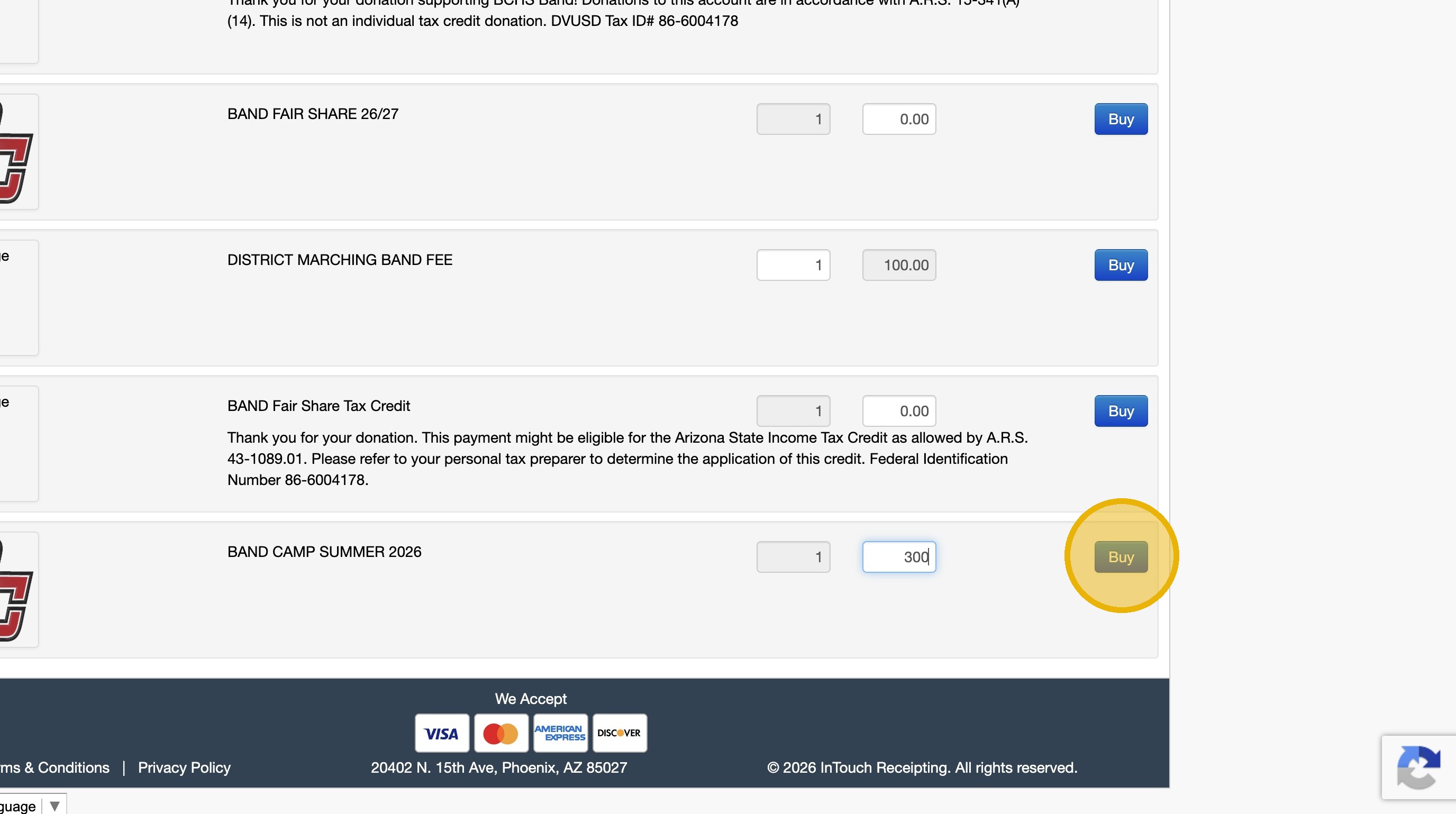
13. Click "Buy" and make sure your cart shows $300
14. For August/September Payment, or if paying everything upfront
Enter the amount in "BAND FAIR SHARE Tax Credit"
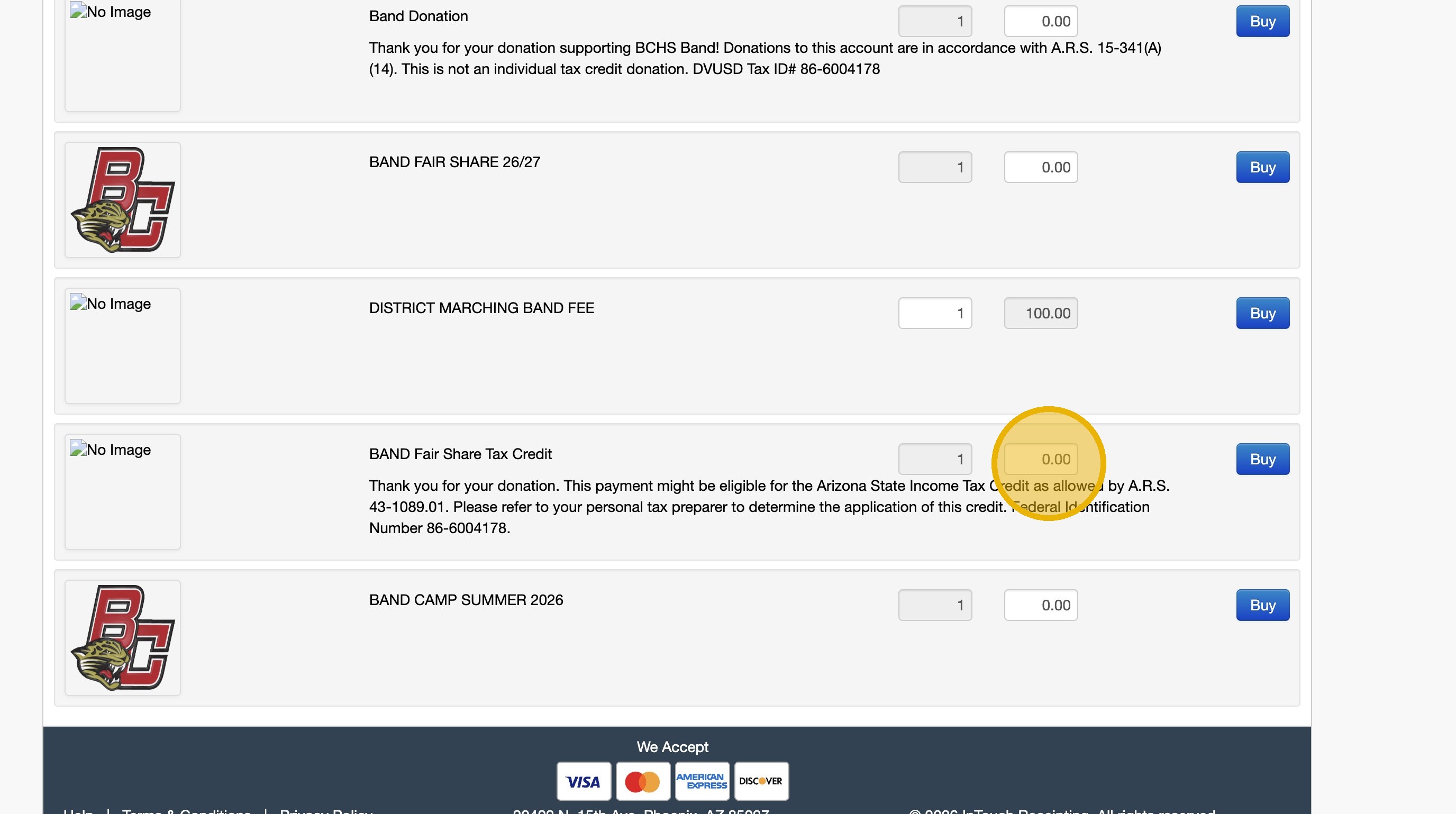
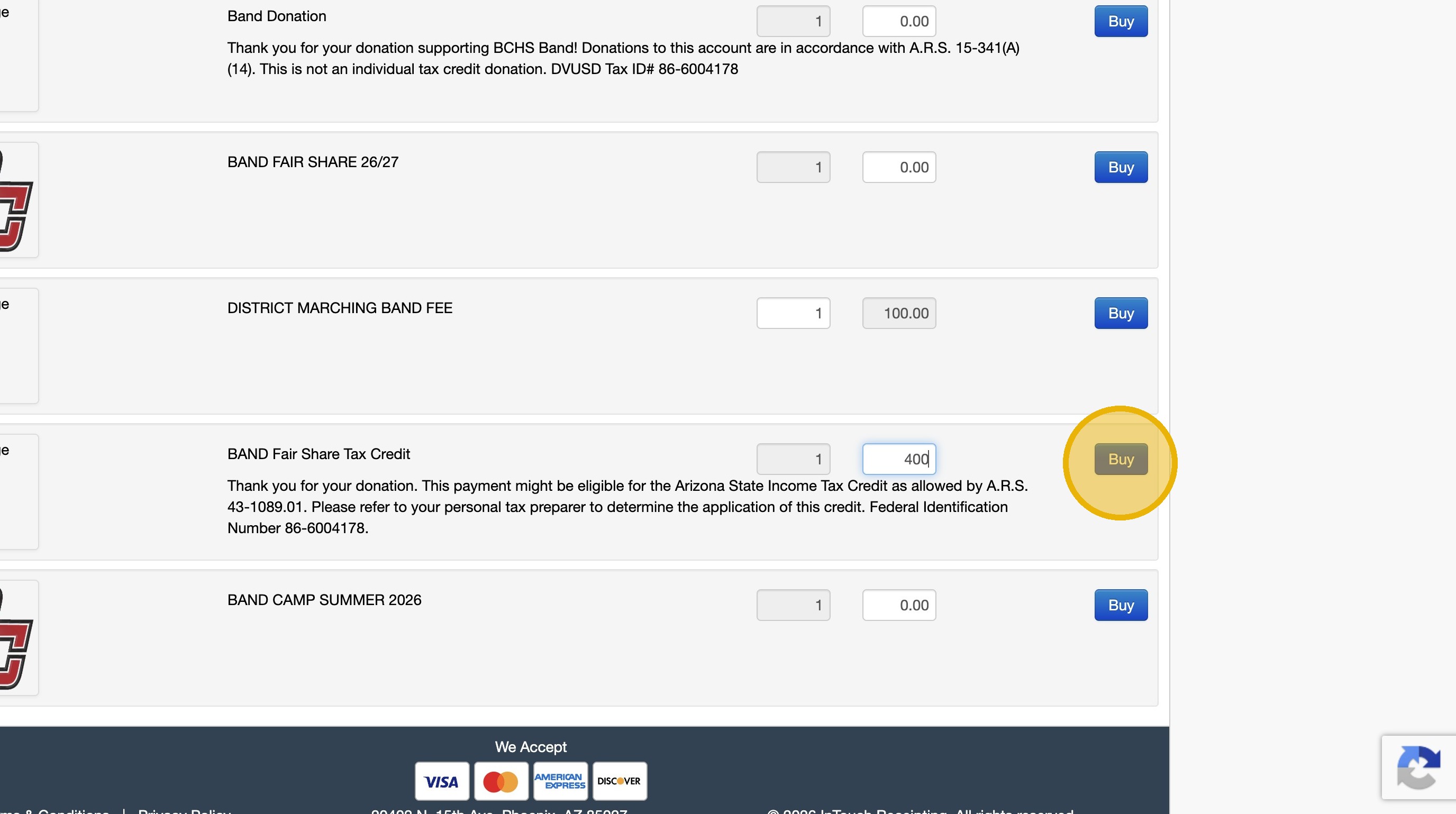
15. Type "400" or "200" based on status
16. Click "Buy"
17. For August/September Payment, or paying everything upfront
Enter the remaining amount owed in "BAND FAIR SHARE 26/27" and click "Buy"
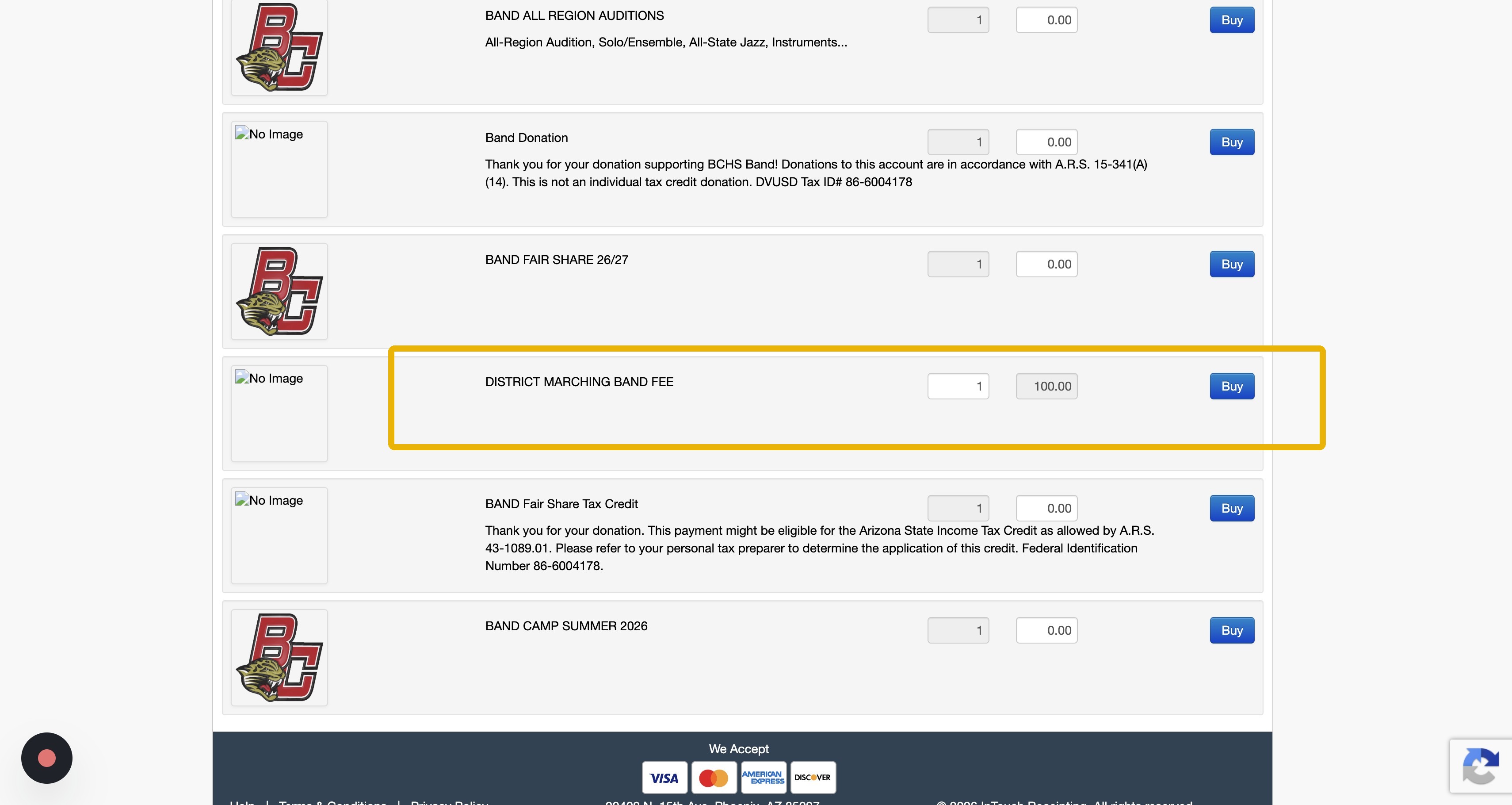
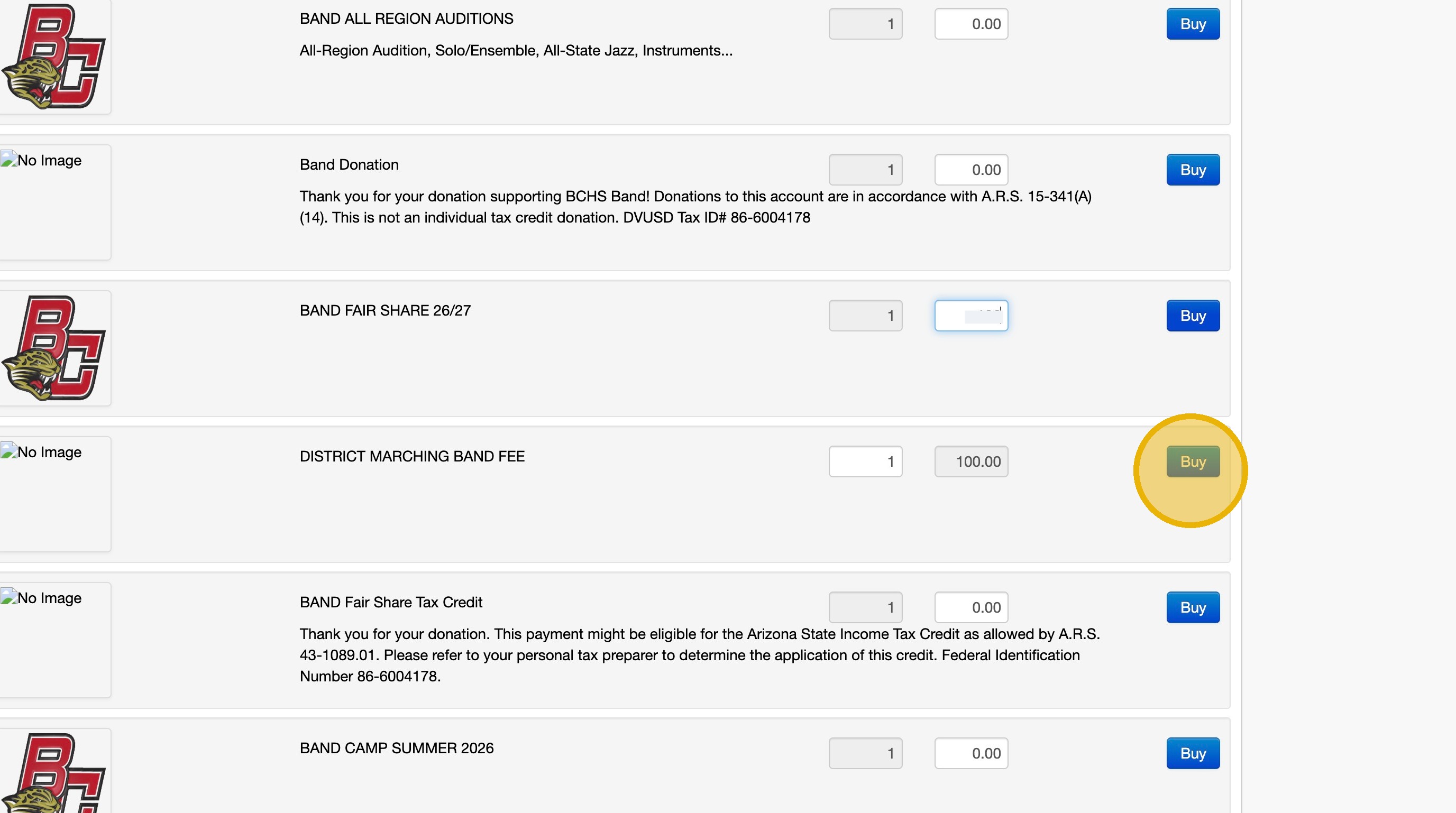
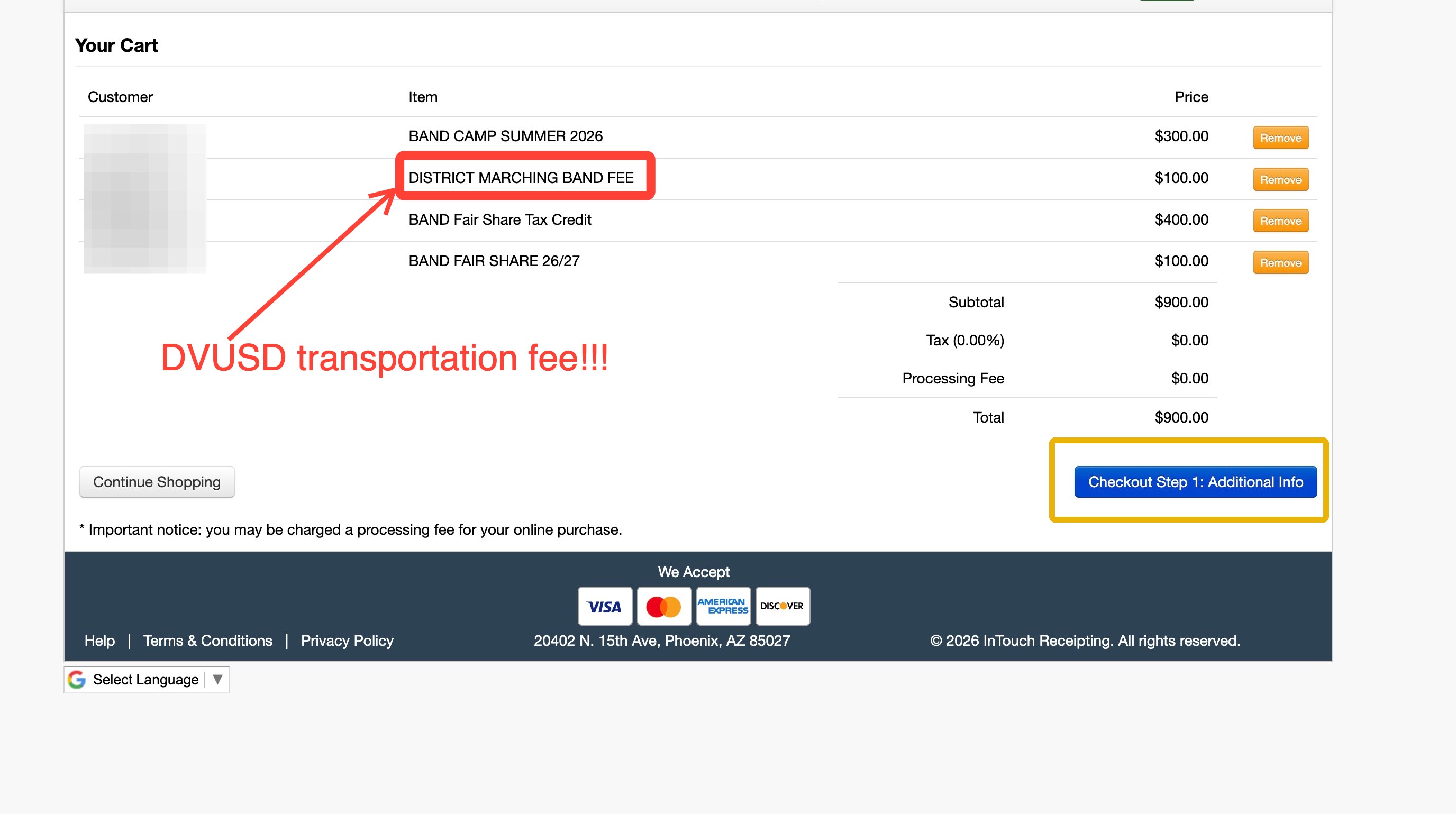
18. Don't Forget about the District Marching Band Fee!!!
This is the Transportation Fee, Click Buy
19. Click the "Checkout" button in the top right corner
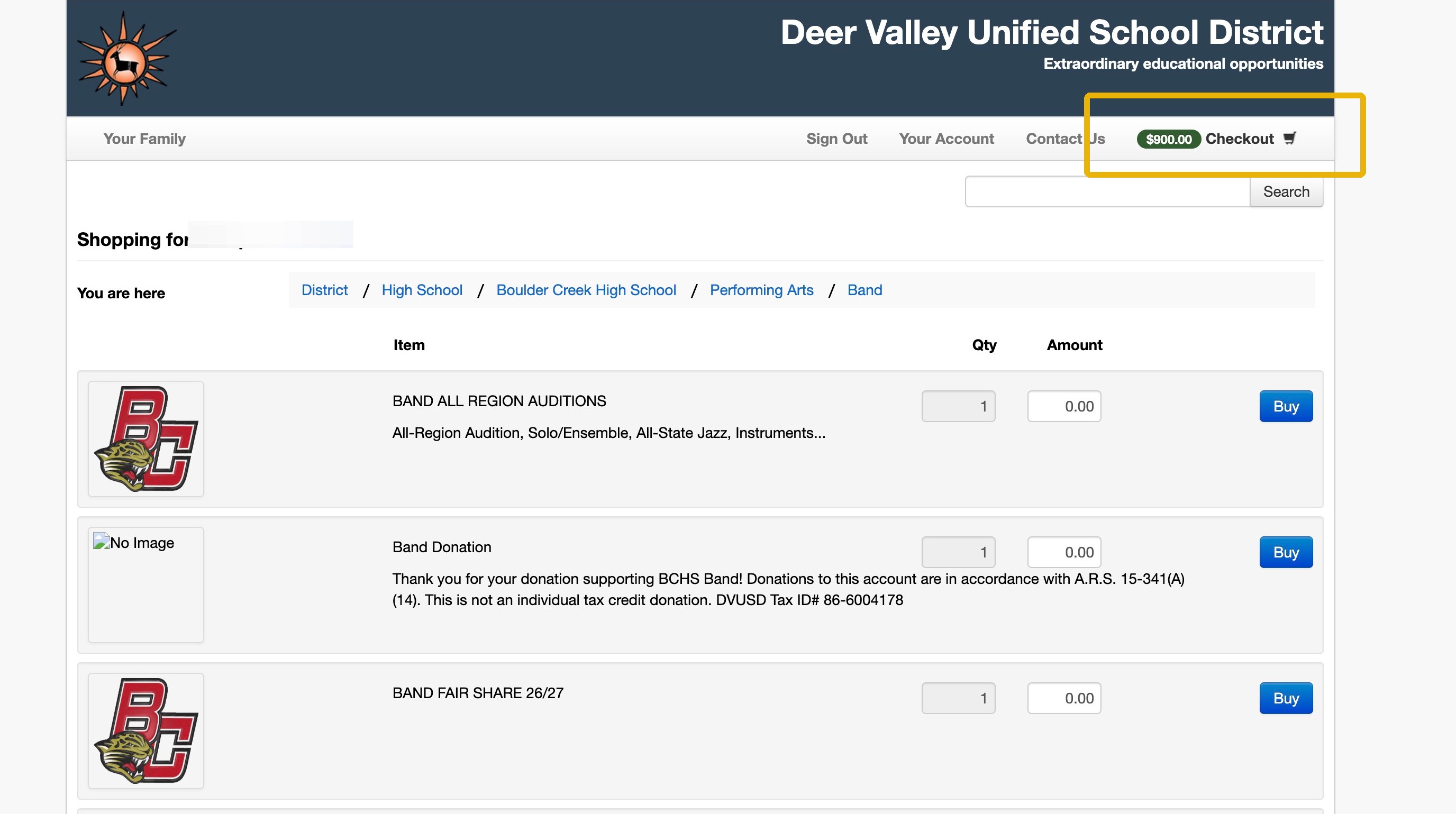
20. Click "Checkout Step 1: Additional Info"
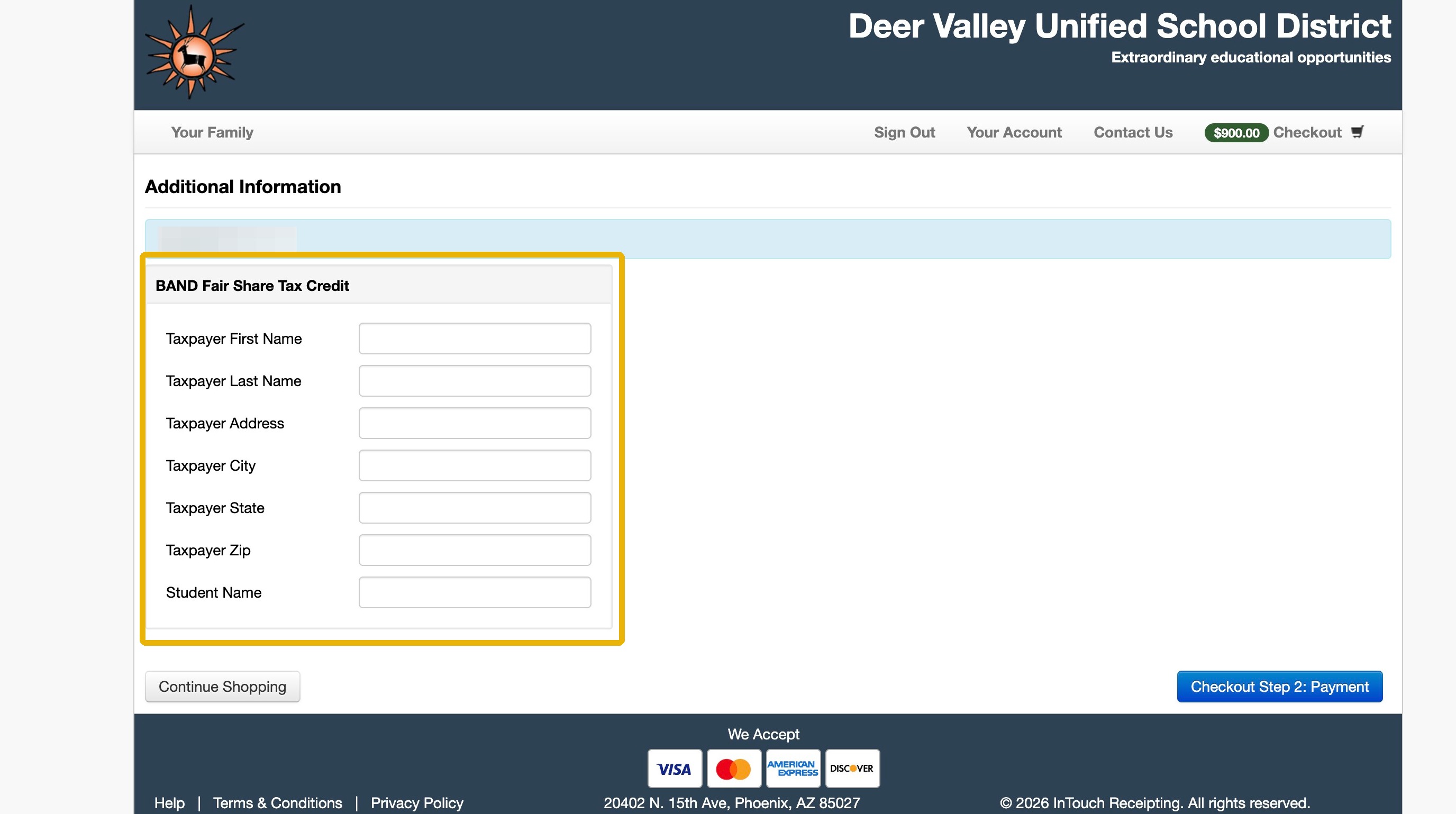
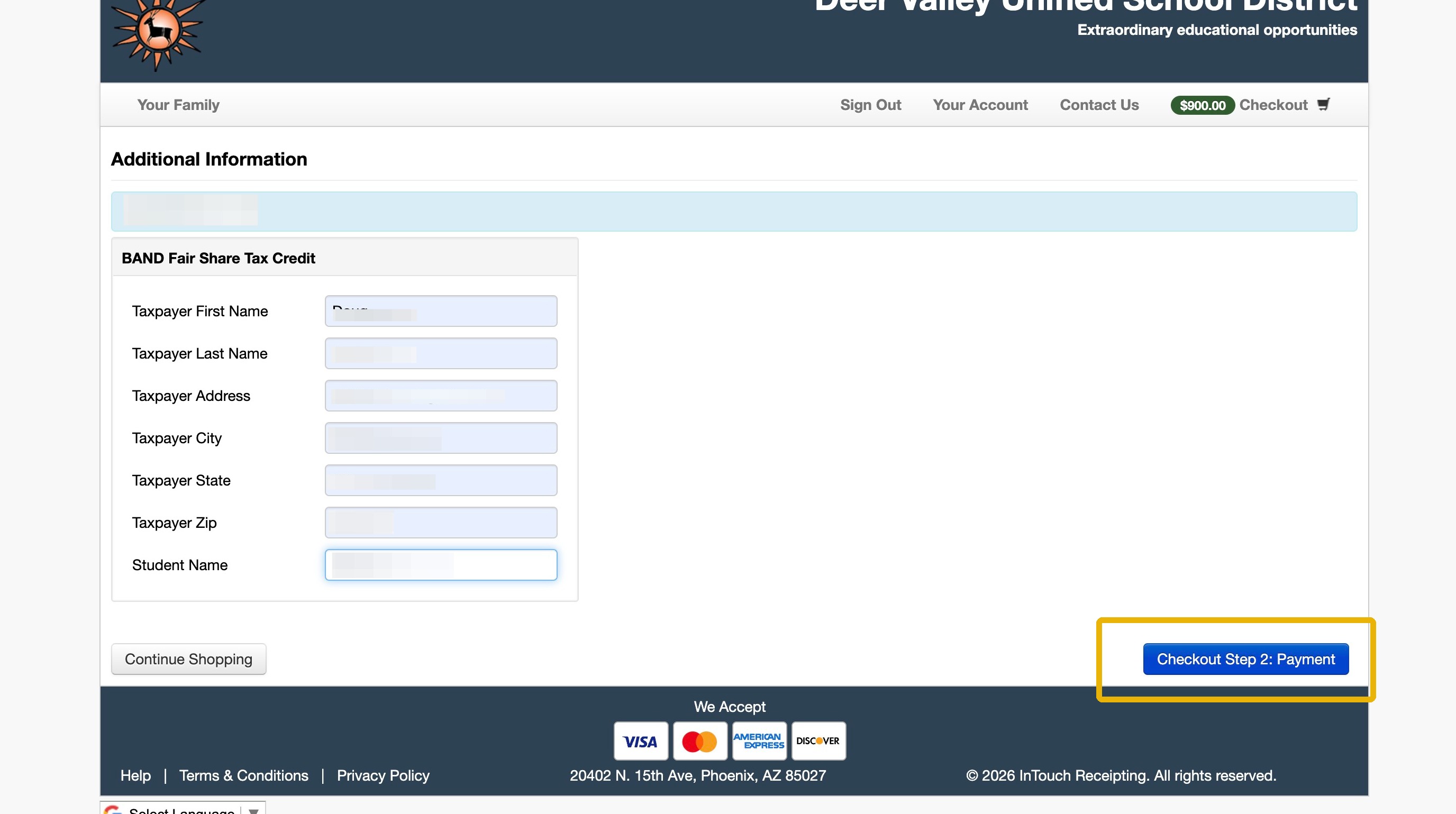
21. If using the Tax Credit for Fairshare, you will be asked for Taxpayer Information
22. Enter Your Information and the Student Name click Step 2: Payment
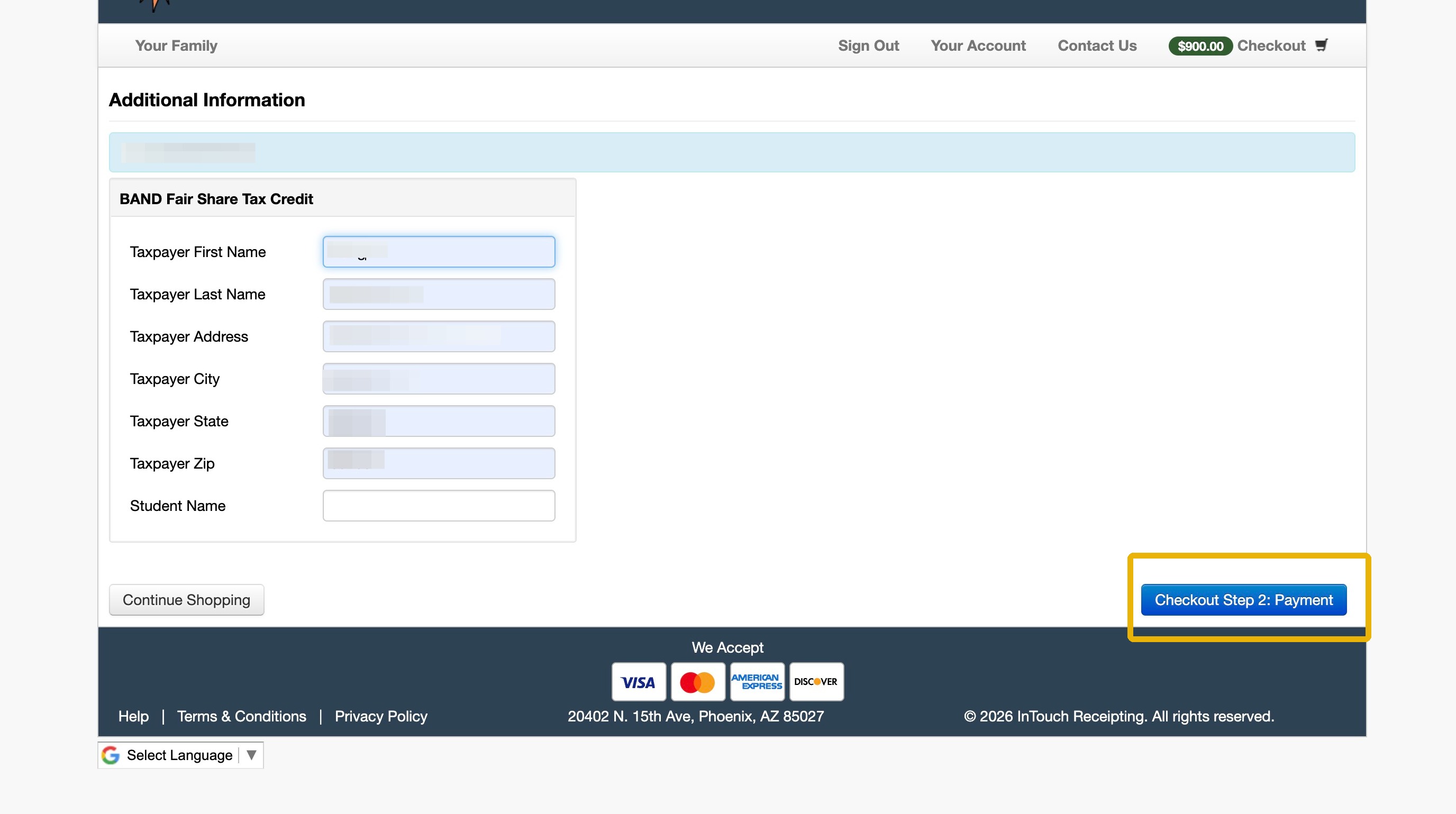
23. If not using the Fair Share Tax Credit, Payment will appear instead.
1. Navigate to https://bchs.dvusd.org/
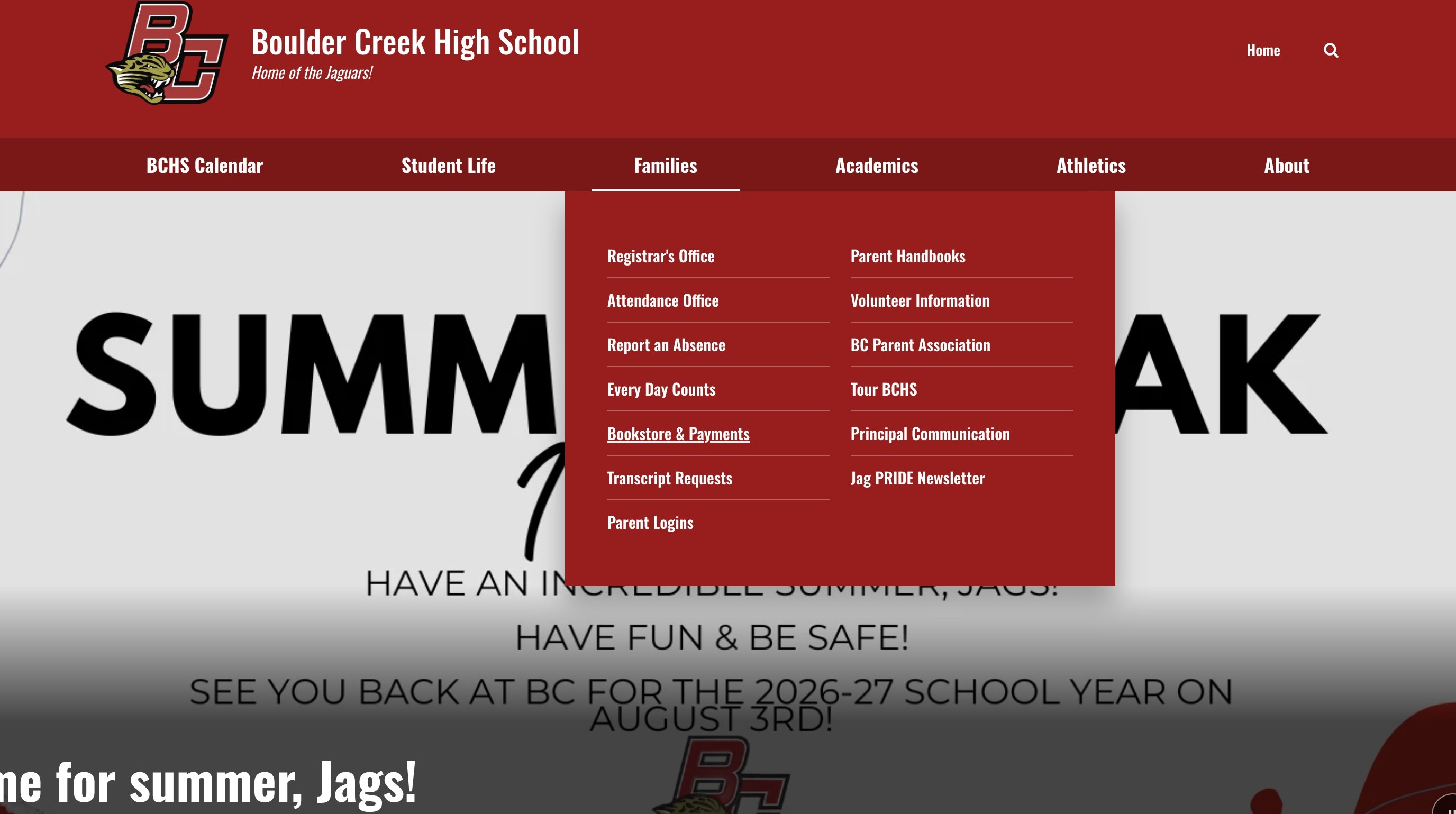
2. Click "Bookstore & Payments"
3. Click "DVUSD ONLINE PAYMENTS"
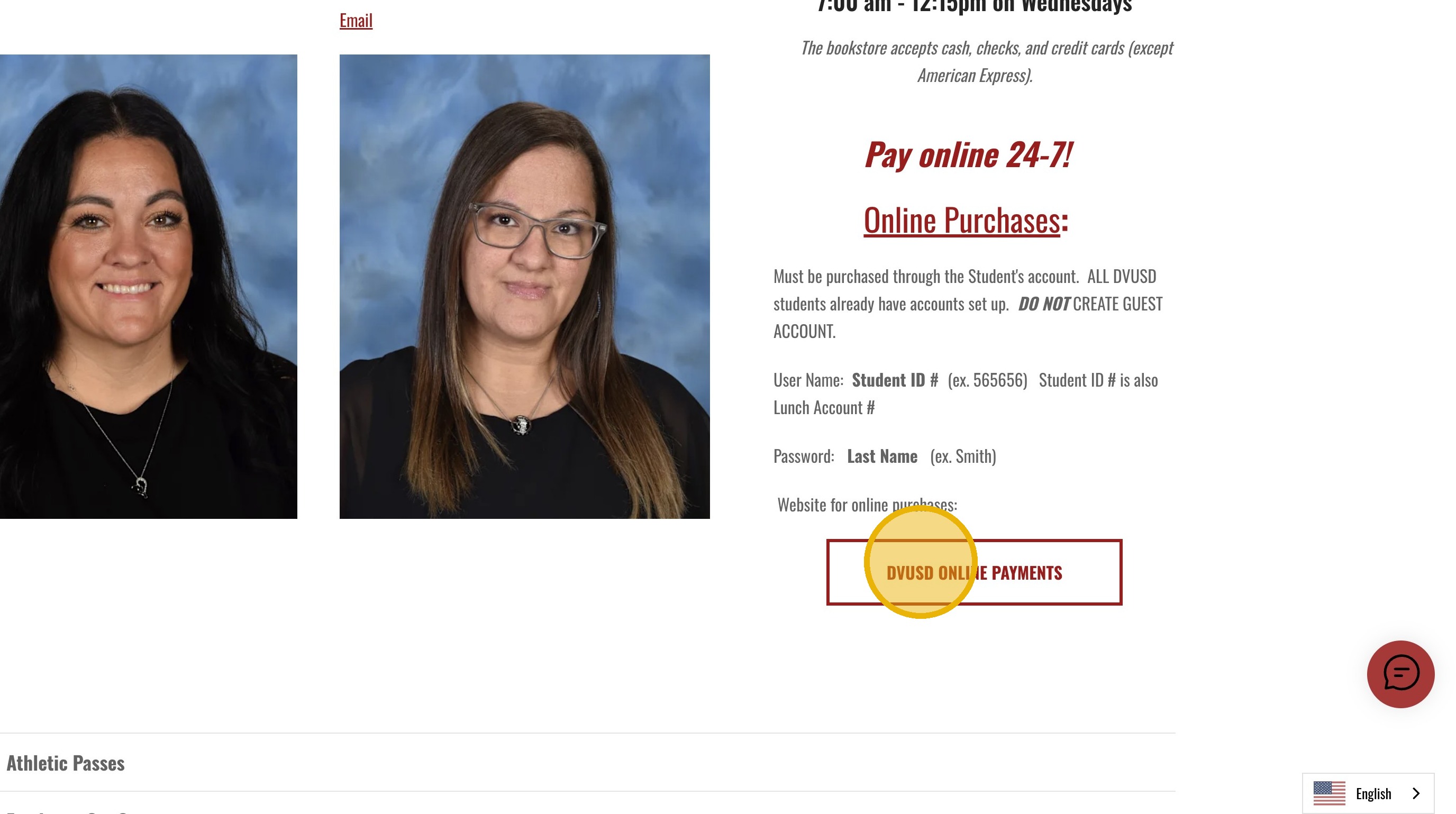
4. User Name = Your Student's Lunch (ID) Number
5. Password = Last Name as listed in Powerschool & is case-sensitive
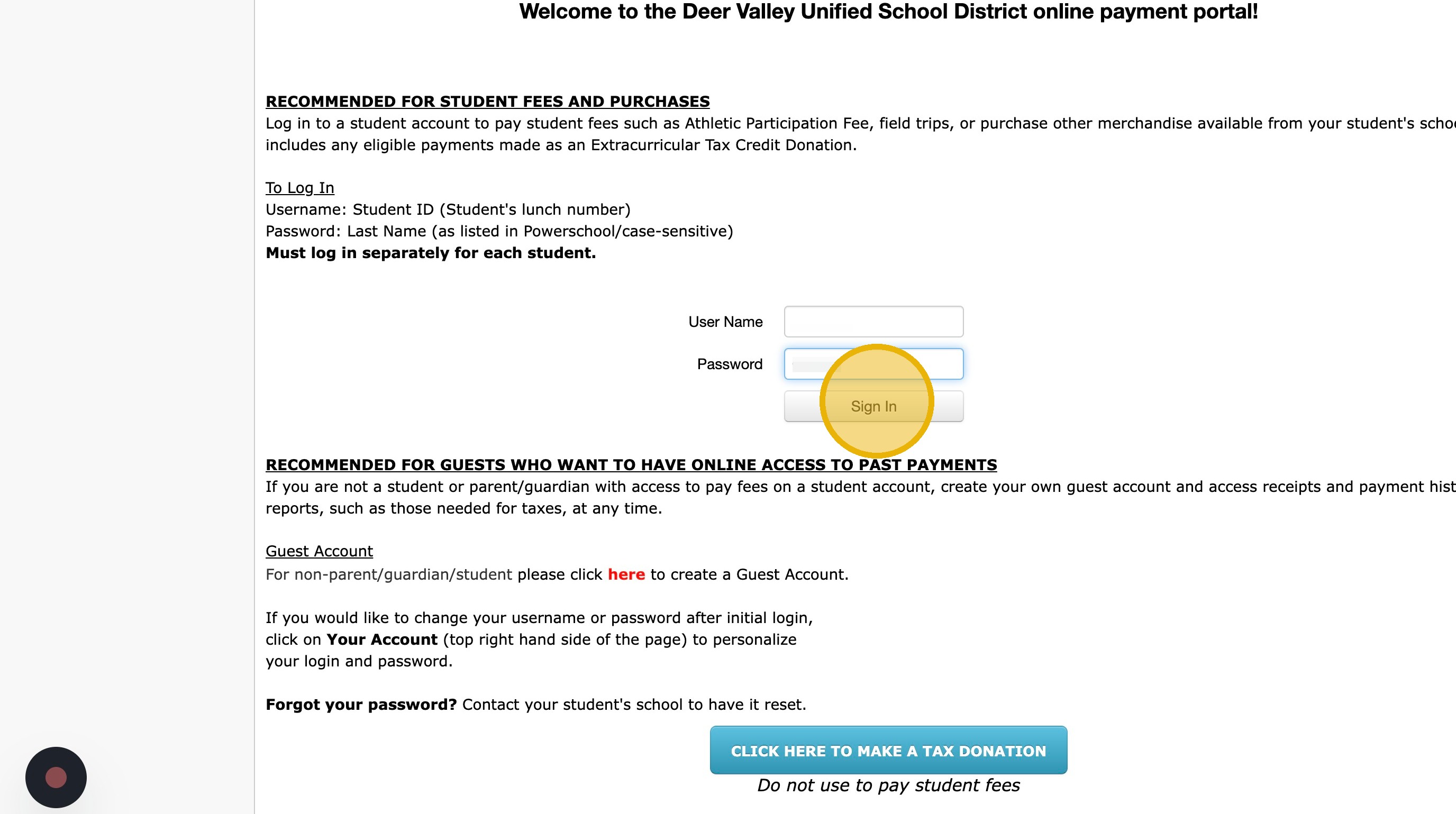
6. Click Sign In.
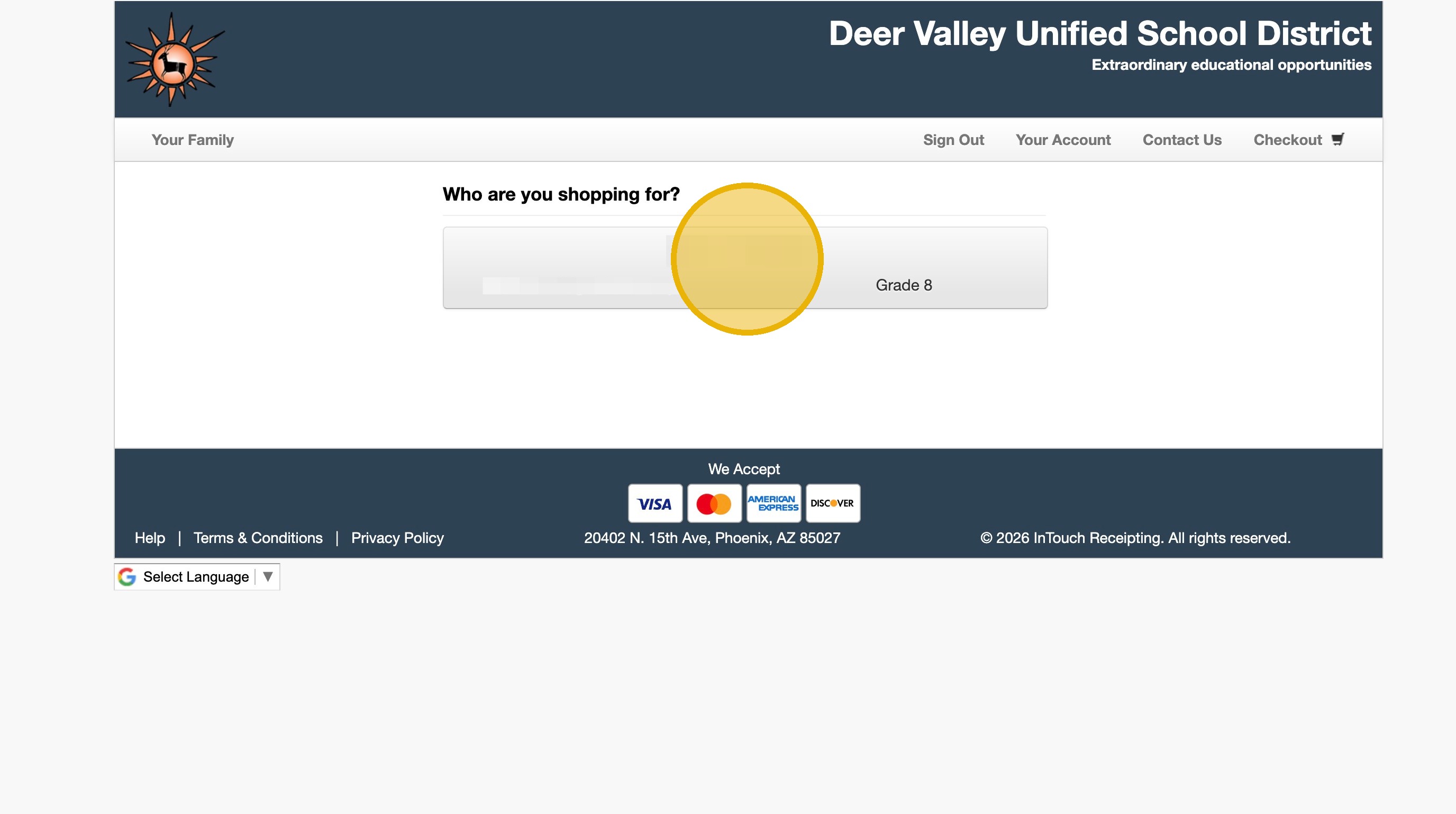
7. Click Your Students Name
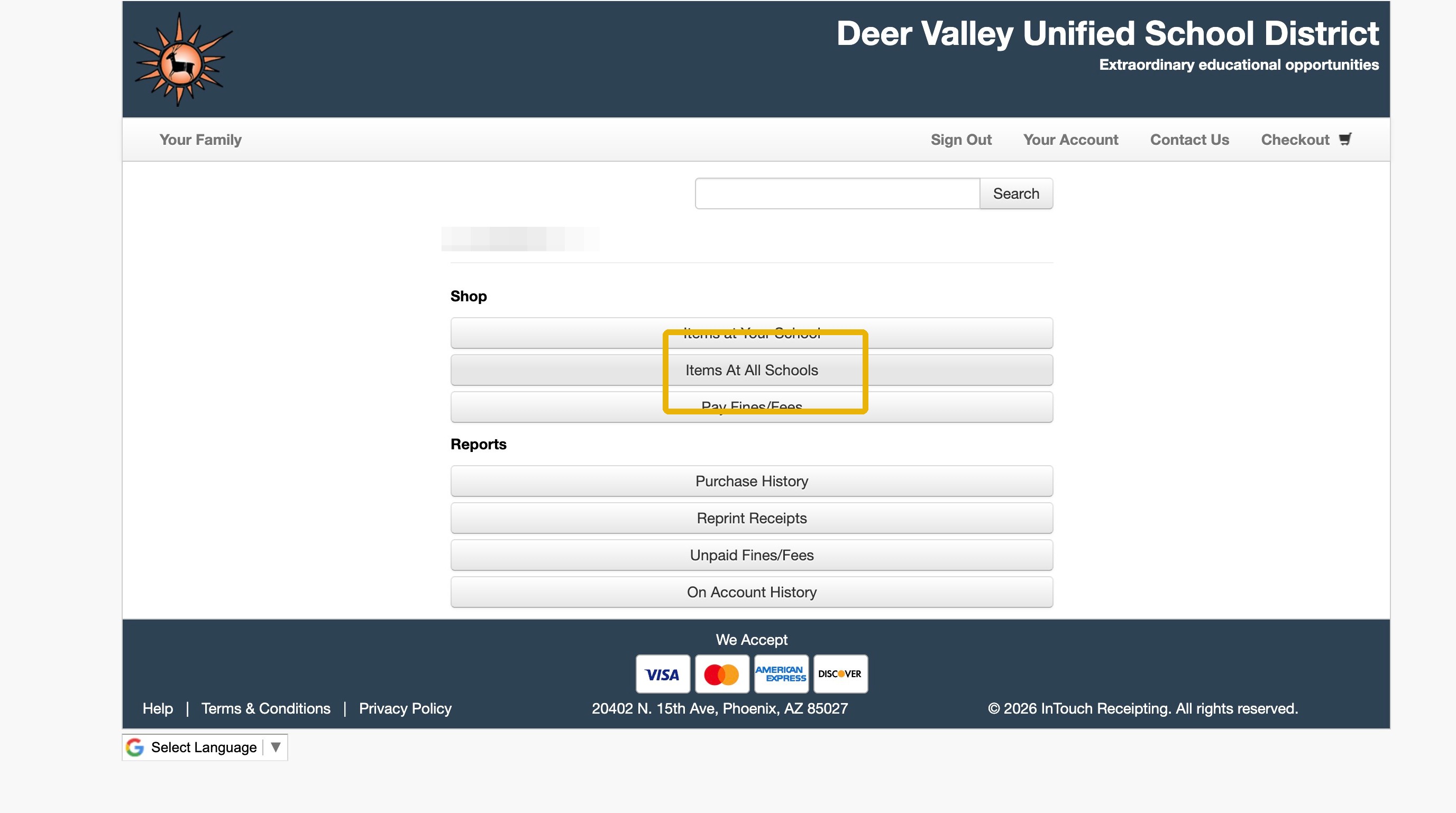
8. Click "Items At All Schools"
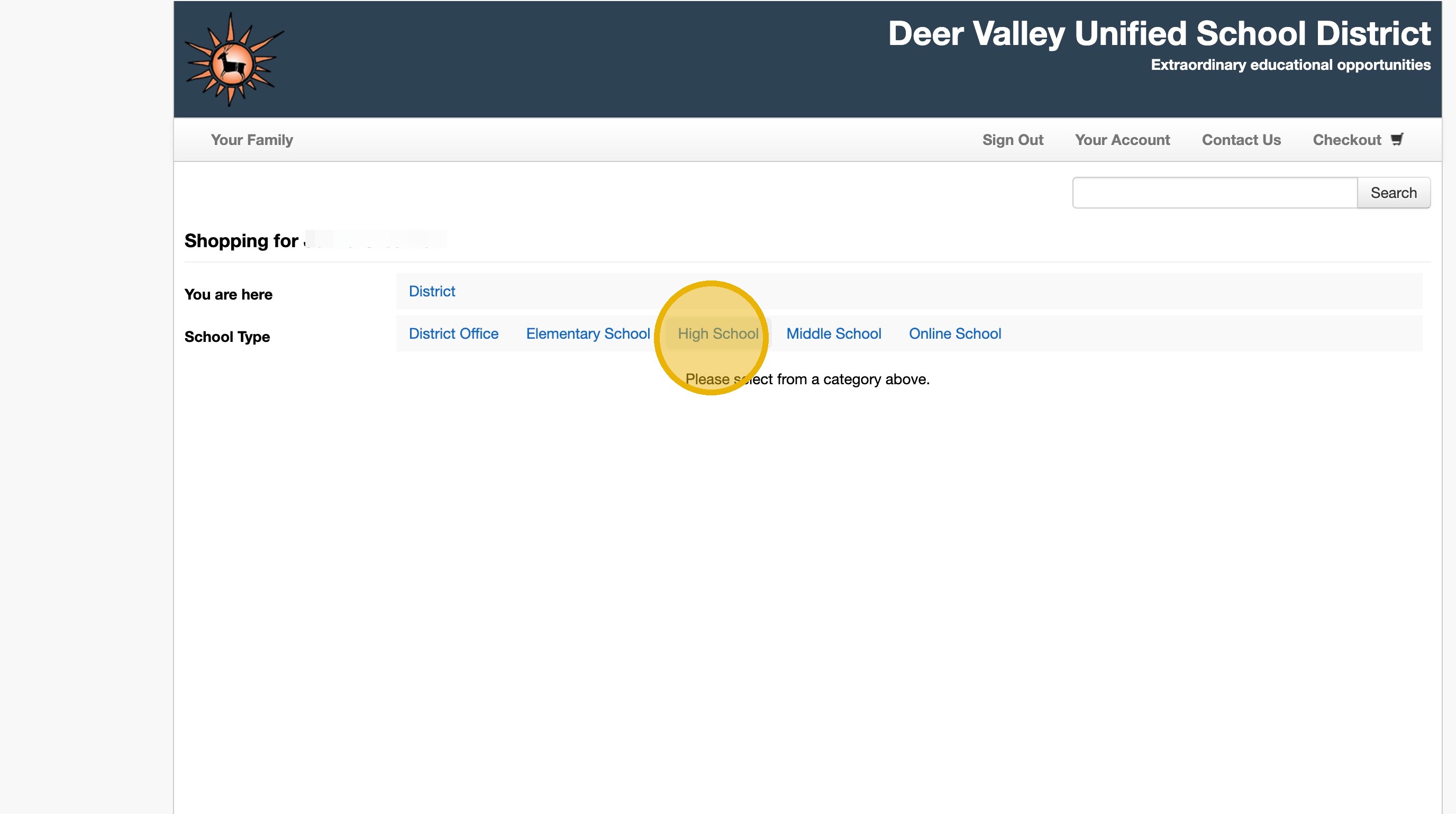
9. Click "High School"
10. Click "Boulder Creek High School"
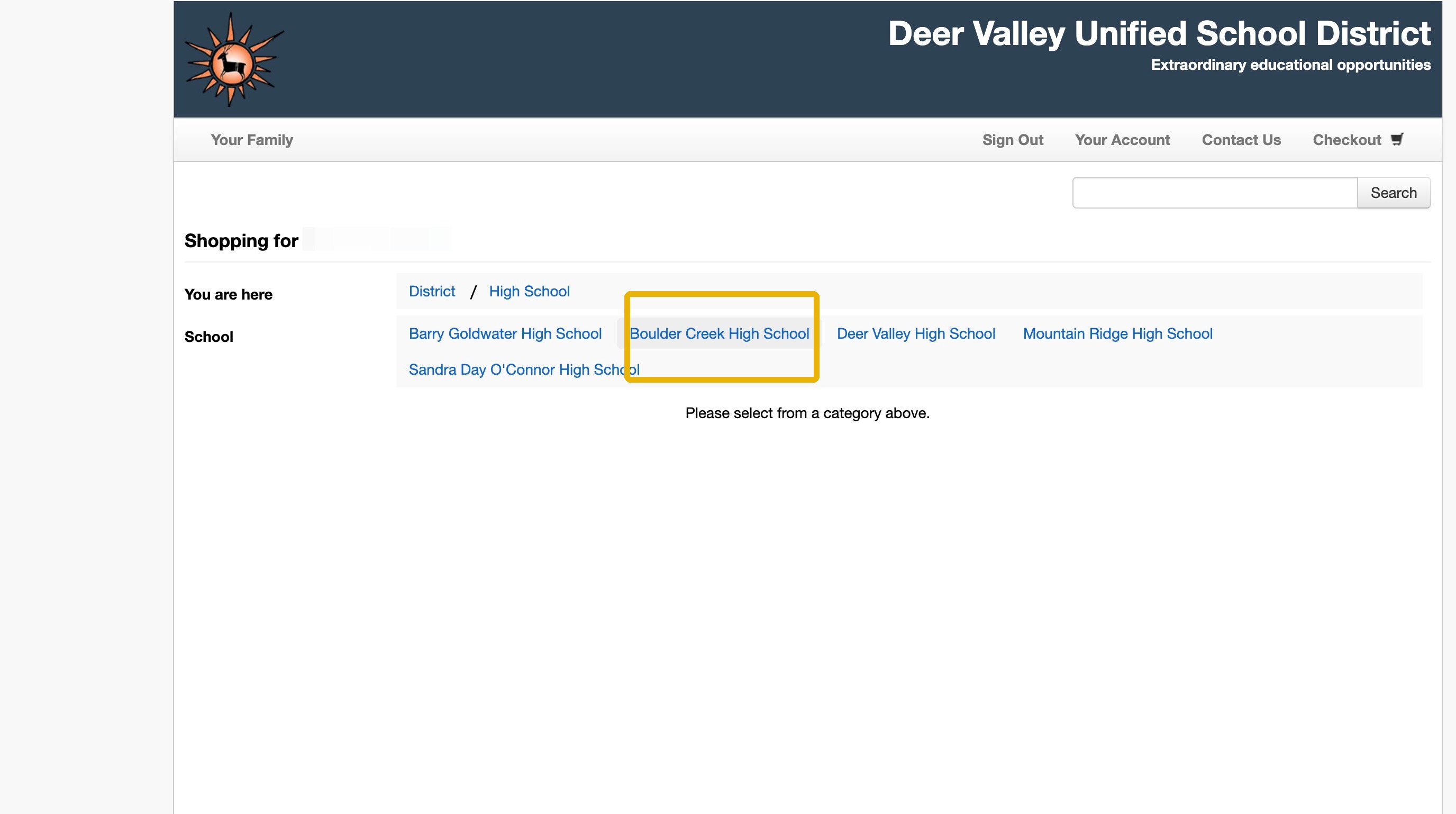
11. Click "Performing Arts"
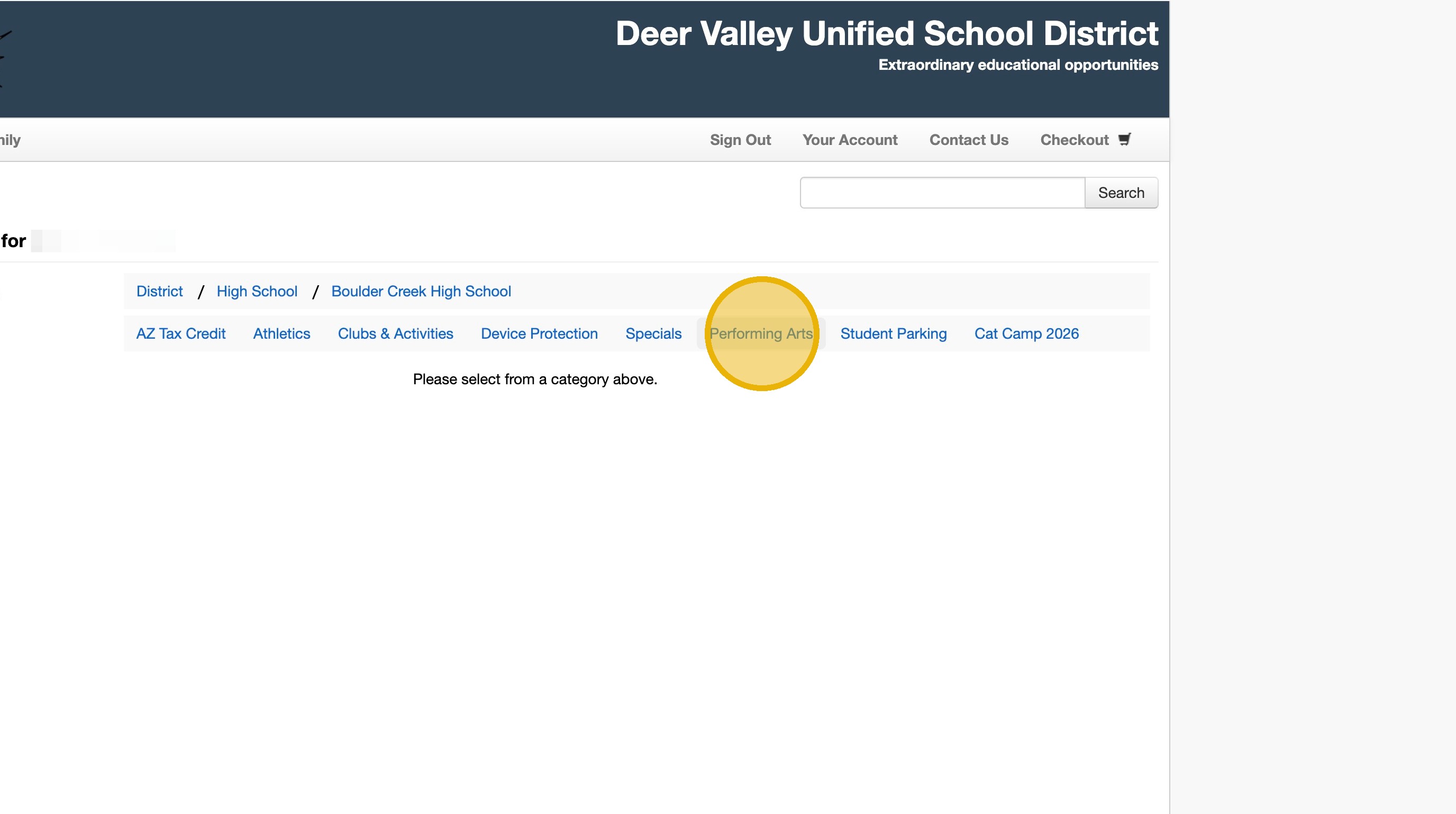
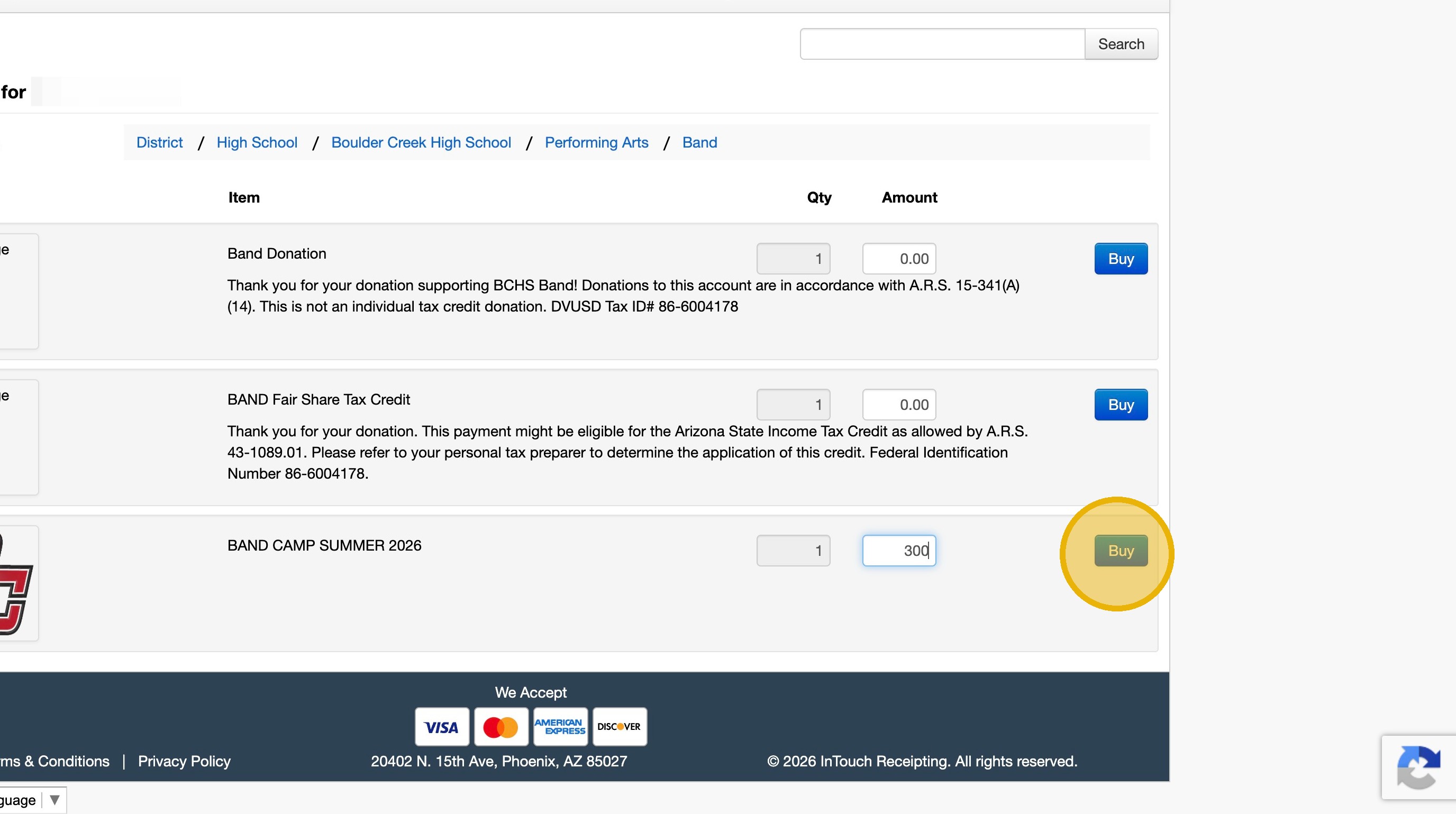
12. Click "Band"
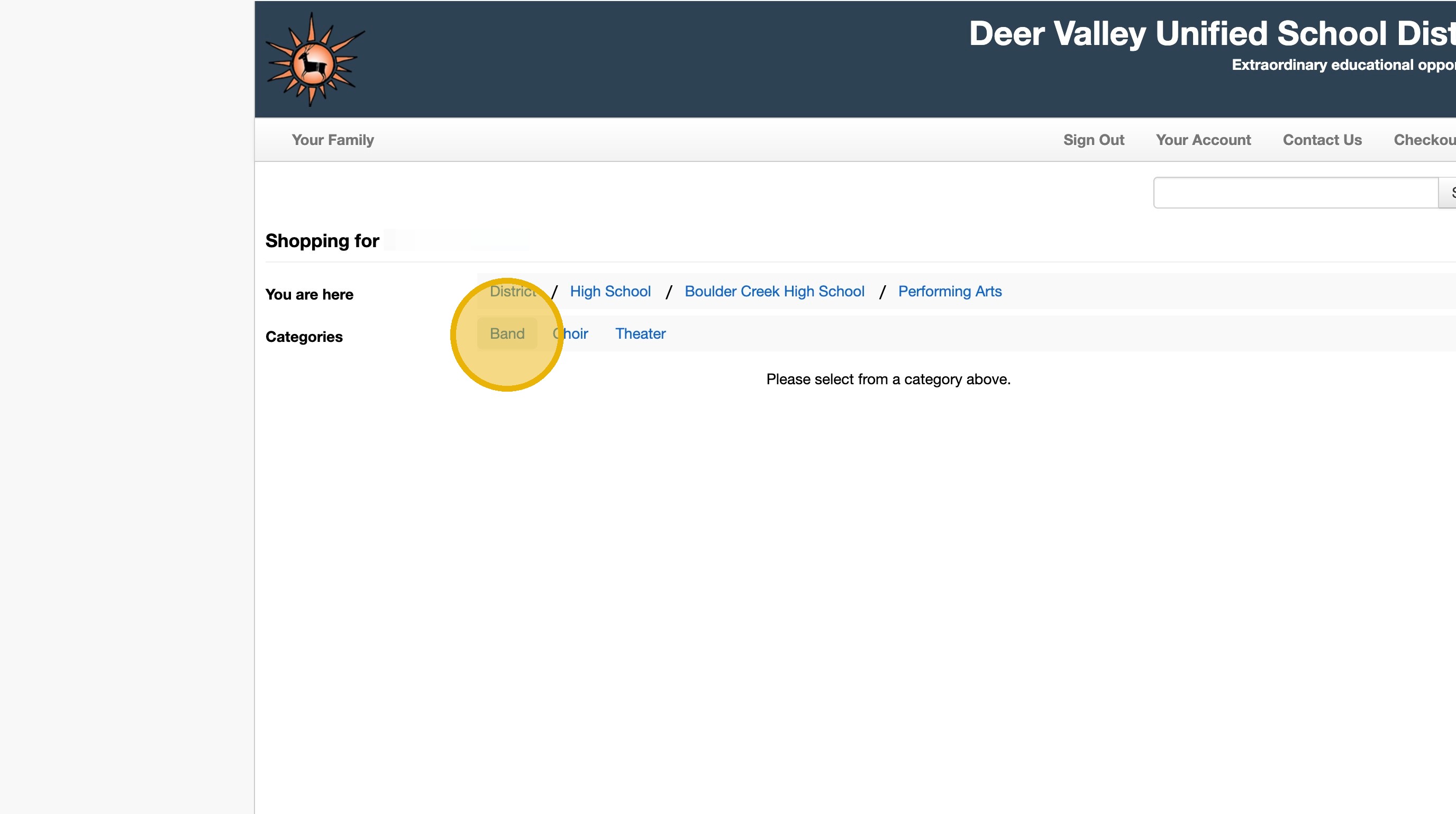
13. Click the $0.00 field.
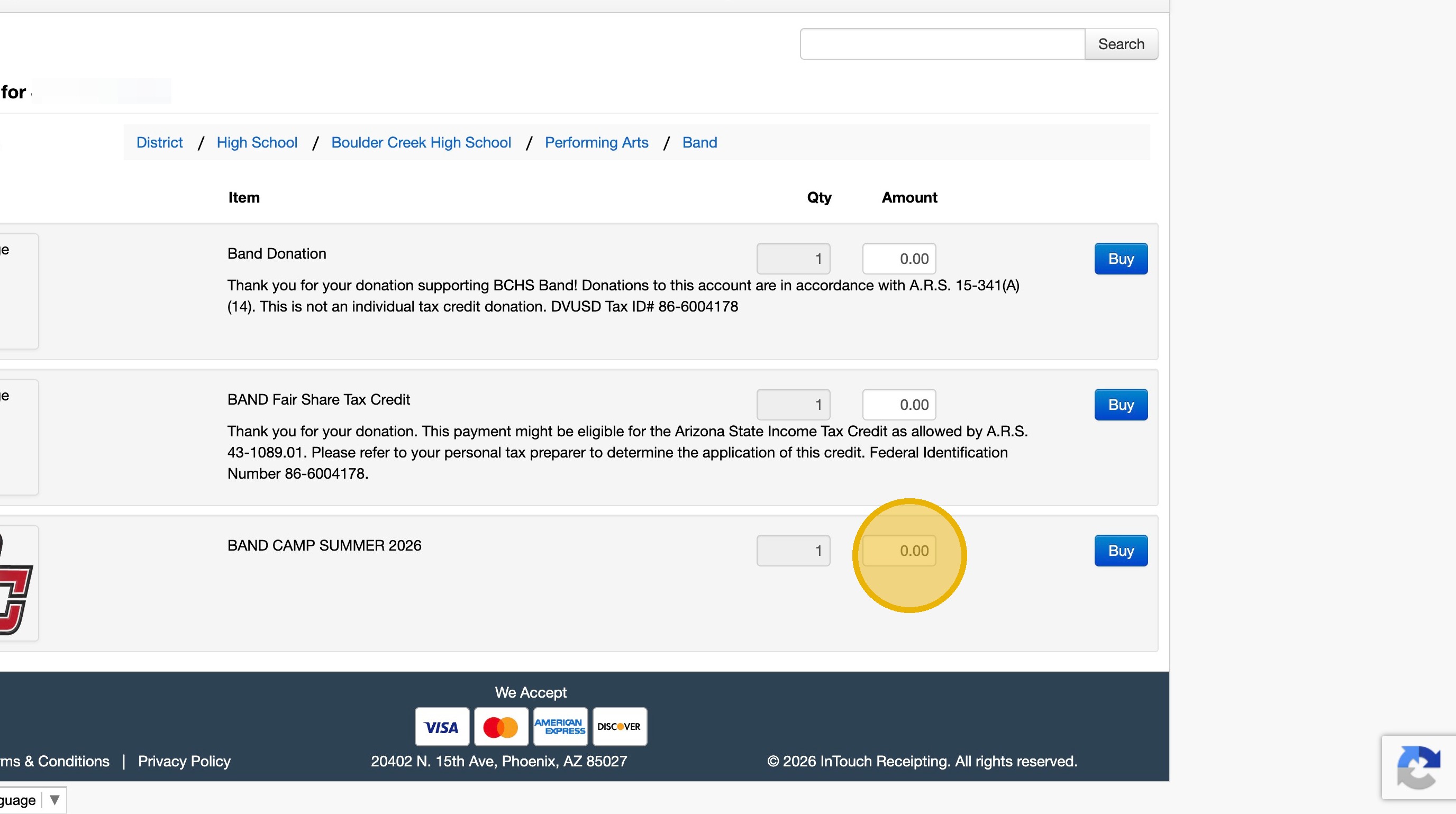
14. Type "300"
15. Click the BAND CAMP SUMMER 2026 "Buy"
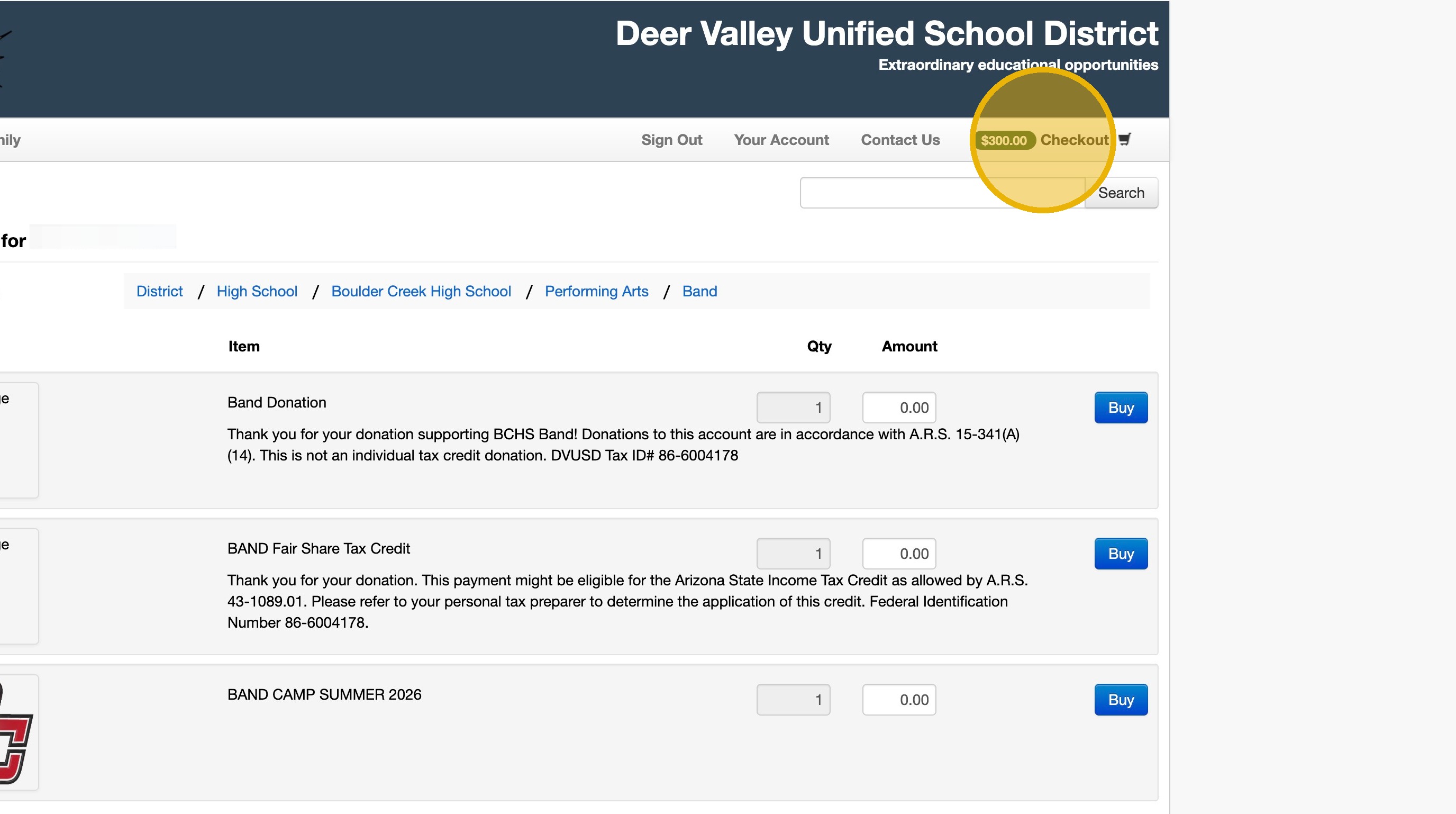
16. Verify the amount has been added to your cart, then click "$300.00Checkout"
If Not, click the "Buy" button again
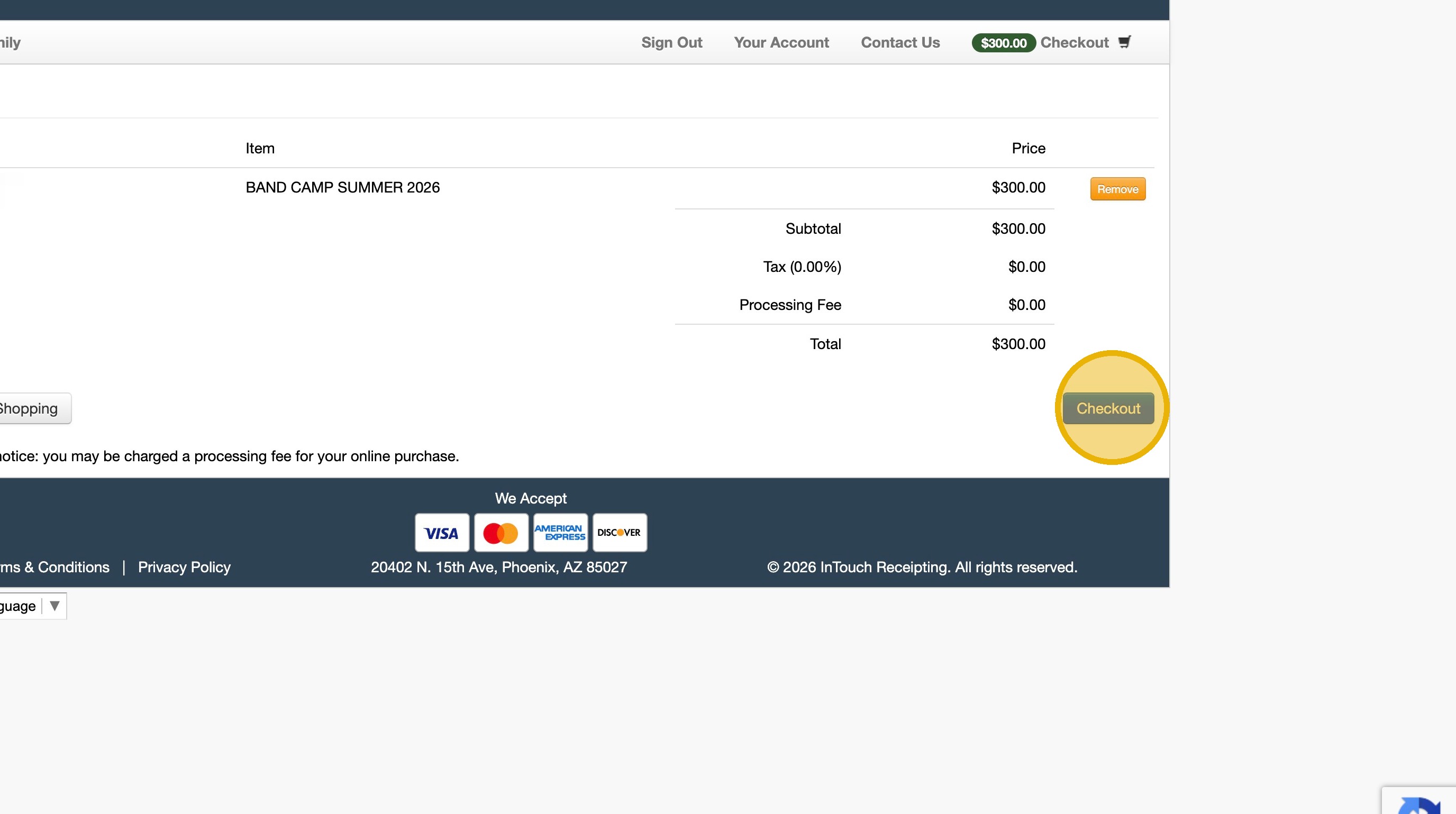
17. Click "Checkout" to complete the process
The band program has two separate fee streams — and it's common to wonder why you're paying different amounts to different places. Here's the breakdown of what each fee is, where it goes, and why both matter.
Paid through the BCHS Bookstore portal, managed by the school and Director. Supports the full band program:
Paid directly to Creek Crew via Zelle. The boosters use these funds to cover expenses the school budget can't:
Creek Crew (Band Boosters) is a 501(c)(3) nonprofit organization. Contributions to the Booster Pass-Through are considered charitable donations that directly support student musicians and the band program.